Operation
36 1590 99 002_1 - 21. February 2011
The patient is selected by pressing the program name on the left side. The +/- keys are used to
the screen. If confirming by OK, you open the . Refer to chapter Fehler!
erweisquelle konnte nicht gefunden werden. Fehler! Verweisquelle konnte nicht gefunden werden.
for setting the parameters.
5.7 Setting and saving parameters
This section describes how to set the parameters for the individual treatment and how to save them.
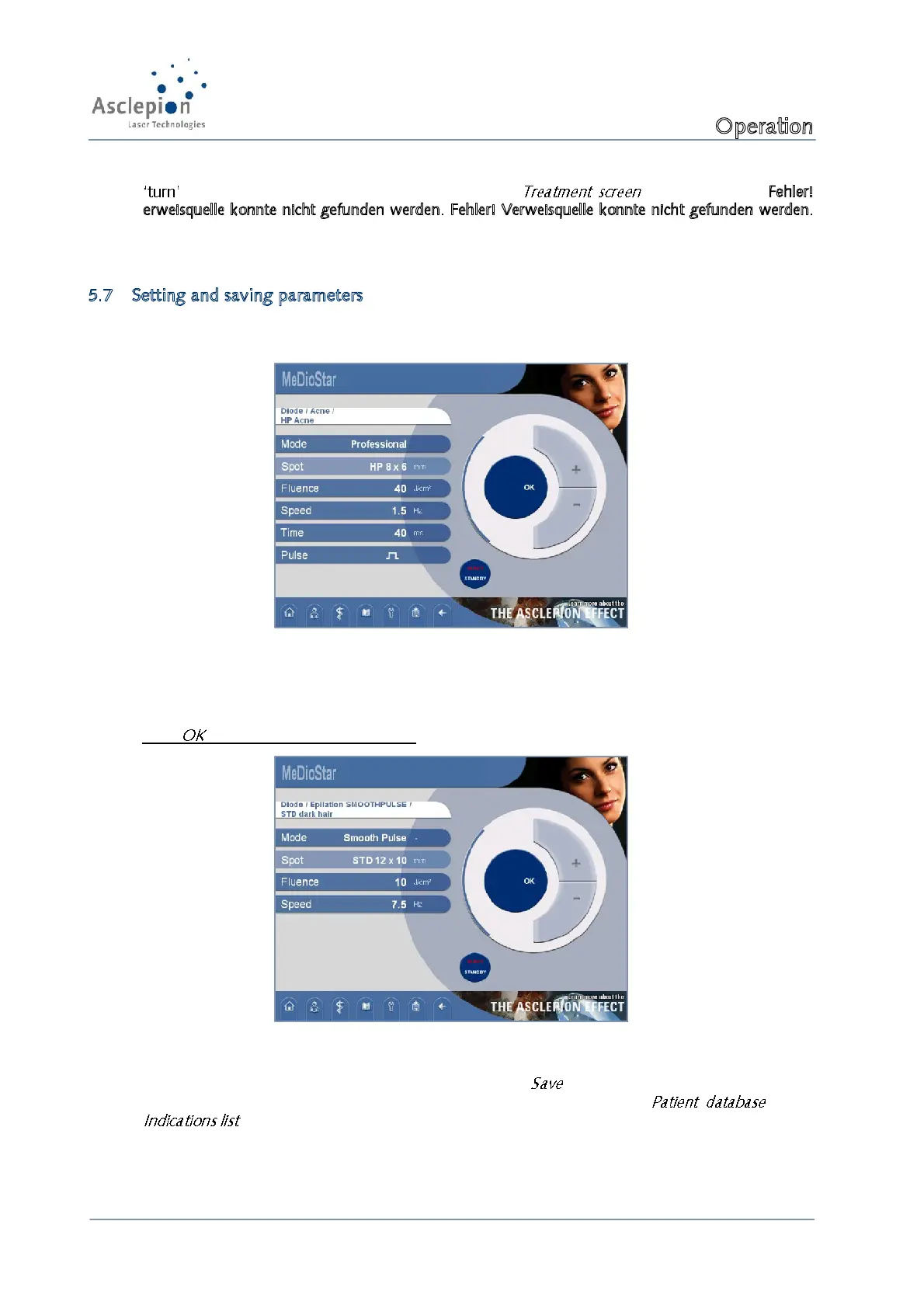
First, activate the Treatment screen.
Figure 31: Treatment screen
Select the parameter you want to change by pressing the field. The selected parameter will be
visually marked (darker). Use the setting keys +/- to make changes.
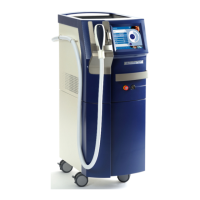
Press for saving the changed settings.
Figure 32: Standby of laser device screen
Now, you can save the changed settings by pressing the button. You have the option to save
the settings for a patient or for an indication. For doing this, press the or the
key.


 To Next Page