Operation
1590 99 002_1 - 21. February 2011 37
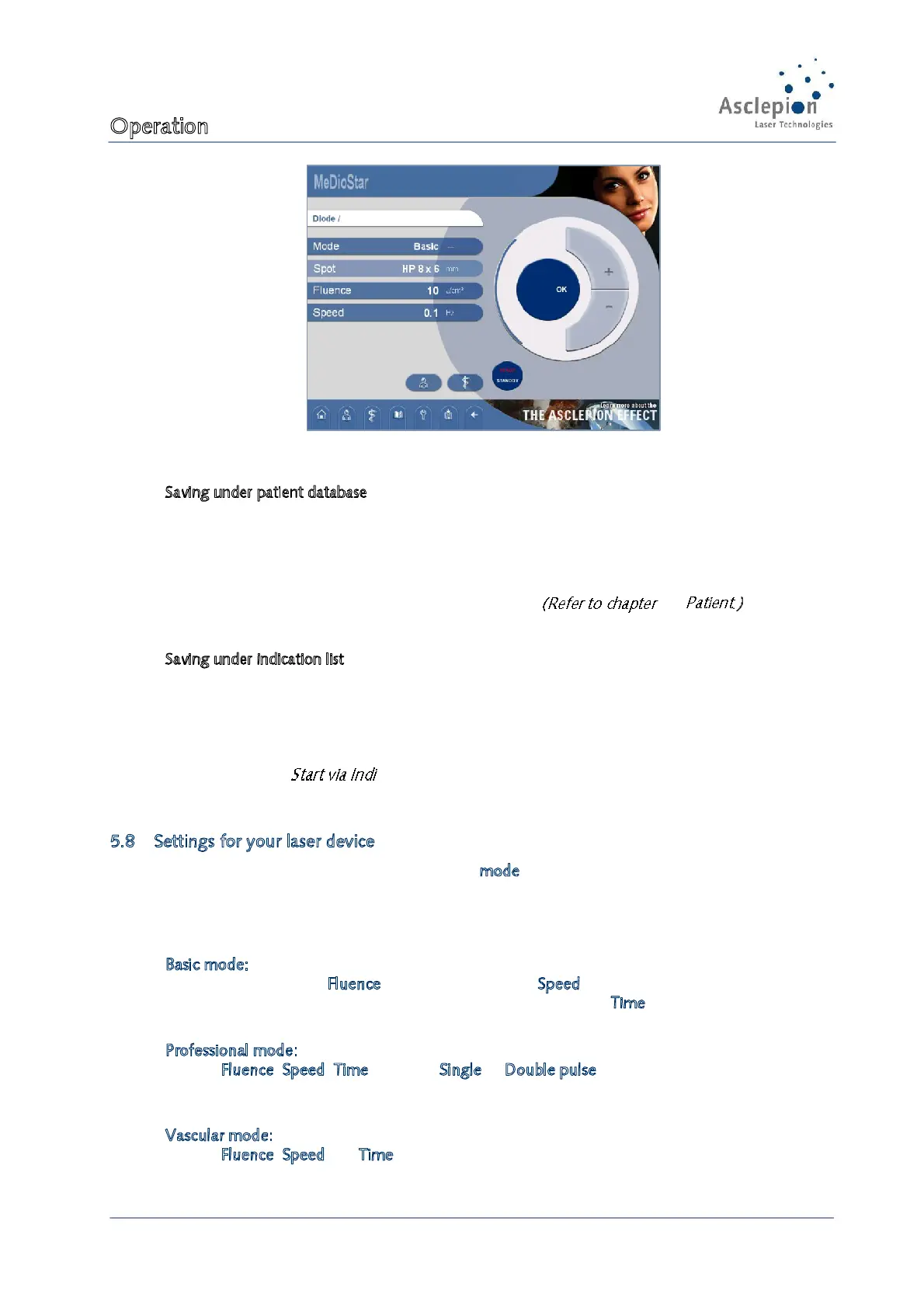
Figure 33: Saving parameters
Saving under patient database
If you want to save the parameters in the patient database you can choose between a new and an
already registered patient. If you select a registered patient you can either create a new treatment or
save the settings for an already recorded treatment. If you want to save the settings under an
already recorded treatment, the old data will be overwritten.
To call the saved parameters open the patient database. 5.3
Saving under indication list
If you have decided to save the data in the indication list, you can choose either an already
registered indication or a new favorite. If you want to save the settings for an already recorded
indication, the old data will be overwritten.
To call the saved parameters open the indications list.
(See chapter 5.6.2 .)
5.8 Settings for your laser device
The parameters that can be set depend on the mode. The mode can only be changed if it is allowed
for the handpiece which is attached (via Quick-Start) or for the selected indication (via Indication
list).
Basic mode:
energy density (Fluence) and treatment speed (Speed)can be set
Note: In this mode, the shortest possible pulse duration (Time) for the set fluence will be
used, always with double pulse.
Professional mode:
Fluence, Speed, Time as well as Single or Double pulse can be set
Note: For the double pulse Fluence and Time always refer to the sum of the two parts of
the double pulse.
Vascular mode:
Fluence, Speed and Time can be set
Note: always single pulse


 To Next Page