Operation
1590 99 002_1 - 21. February 2011 39
5.8.2 Special function/Tools
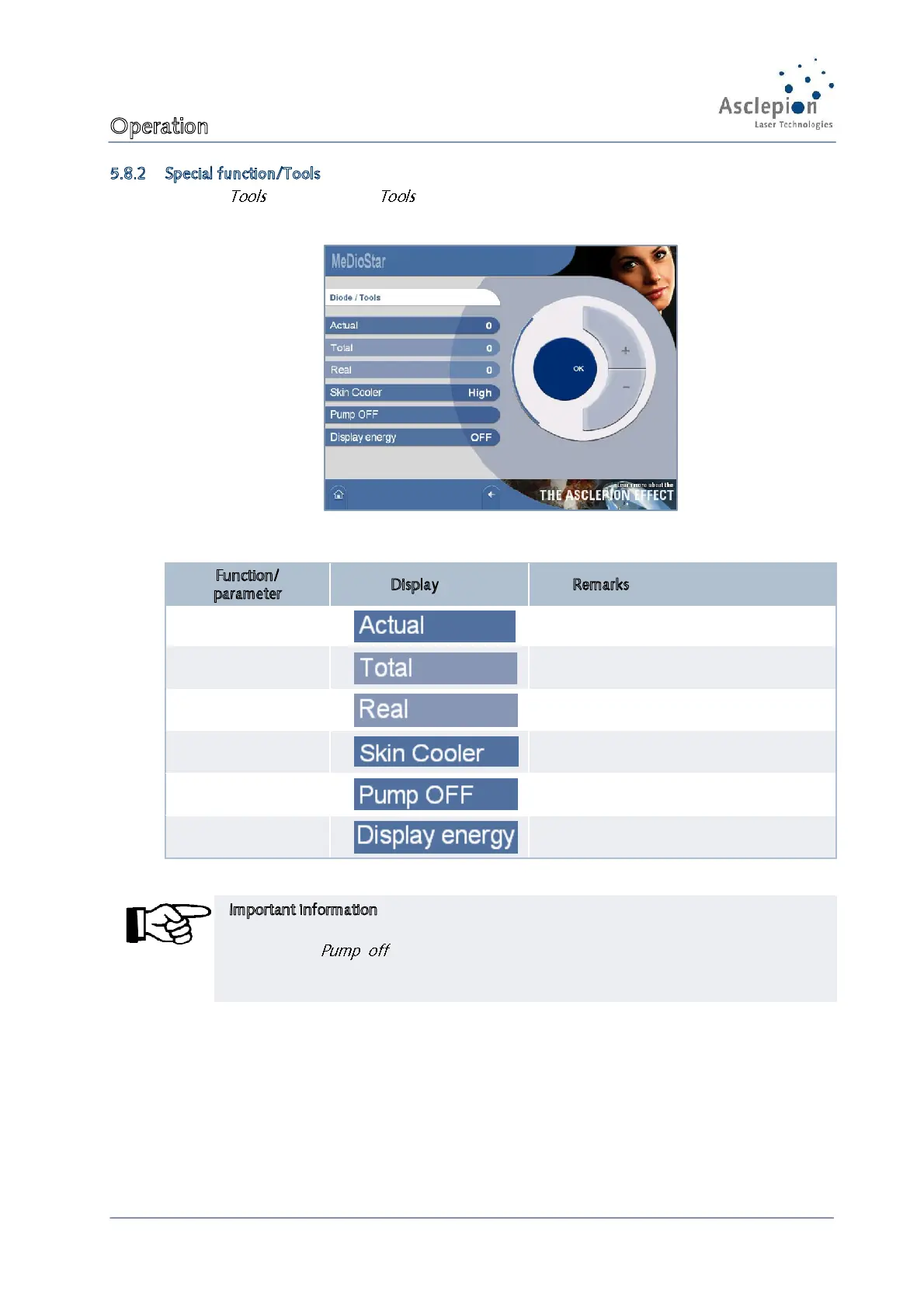
Press the key to open the screen of the application).
Figure 34: Tools screen
Function/
parameter
Display Remarks
Pulse counter Current pulse counter
Pulse counter Total pulse counter
Pulse counter
Real pulse counter
(considers multiple pulses)
Temperature
skin cooling
cold / medium / warm
(recommendation: cold)
Cooling water pump
Is switched on automatically after
changing the handpiece
Energy indication Indication of the energy on
Important information
Before changing the handpiece the cooling water pump must always be switched off by
pressing the key in the Tools menu.
Thus, leakage of the cooling agent is
prevented. When the handpiece has been changed t
automatically.


 To Next Page