TD 92232GB
2005-06-15 / Ver.G
Installation Guide
ELISE2
16
4.9 Connection of Supply Voltage
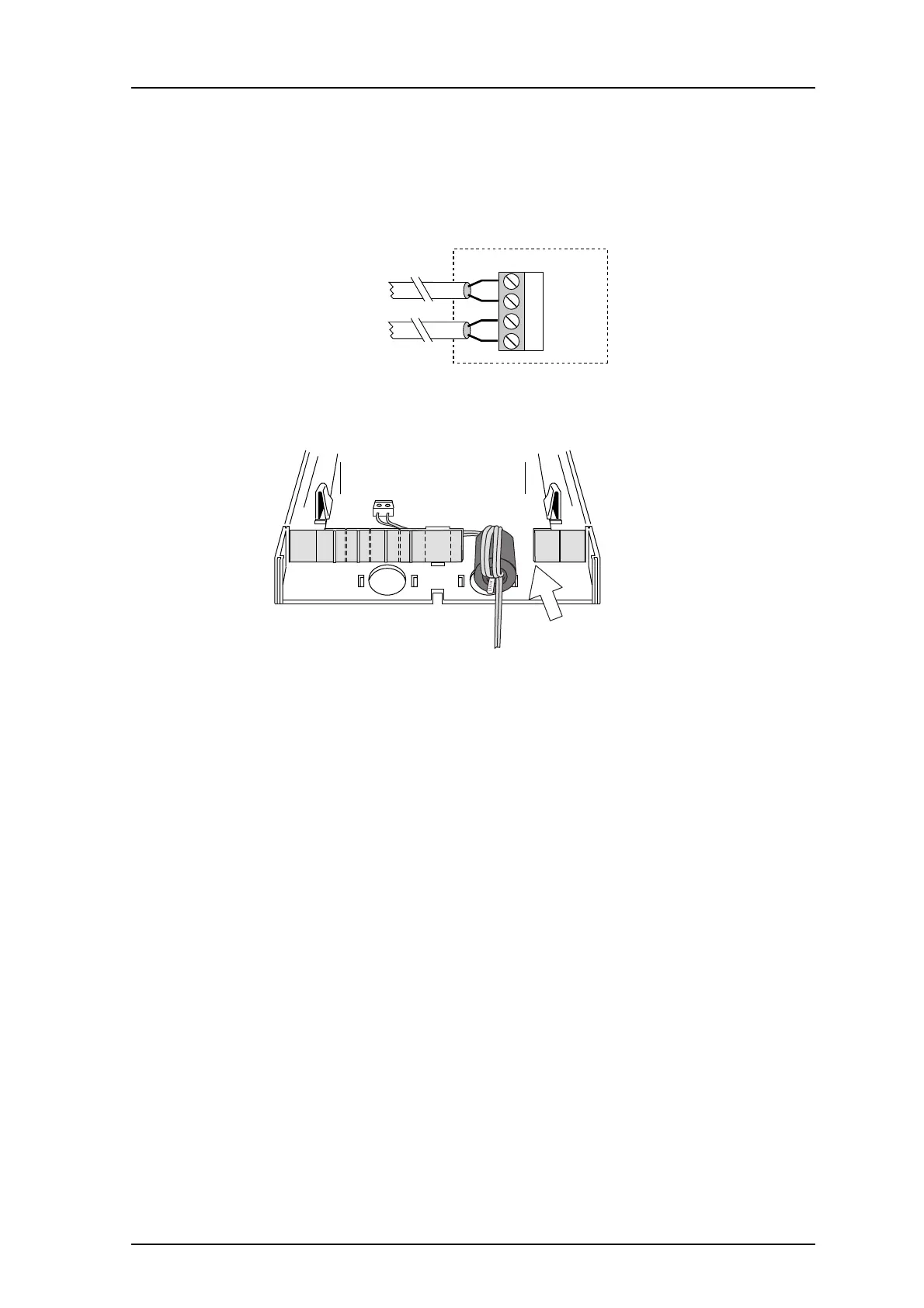
A separate power supply is connected to screw connector J5, pin1 and 2. A ferrite bead is
thread on the wire to prevent EMC disturbances. The current through J5 must not exceed
3A. See also the document System Installation, On-site Paging System, TD 90227GB under
"Power Supply".
Figure 10. Connection of supply voltage.
Figure 11. Ferrite bead attached and wired in the module.
1 To be able to fit the ferrite bead, break a section off the plastic partition, see also
4.2 Wiring Runs on page 10.
2 Attach the ferrite bead with a cable strap.
3 Run the power supply cable two turns through the ferrite bead.
4 Connect the power supply cable to J5:1-2.
J5
1 +12V
2 GND
Supply voltage out
3 +12V
4 GND
Supply voltage in
019
034
1



 To Next Page