AC25/30QTP-1 and -3 Operations Manual.... 29
6 OPERATION
6.1 POWER TURN-ON PROCEDURE
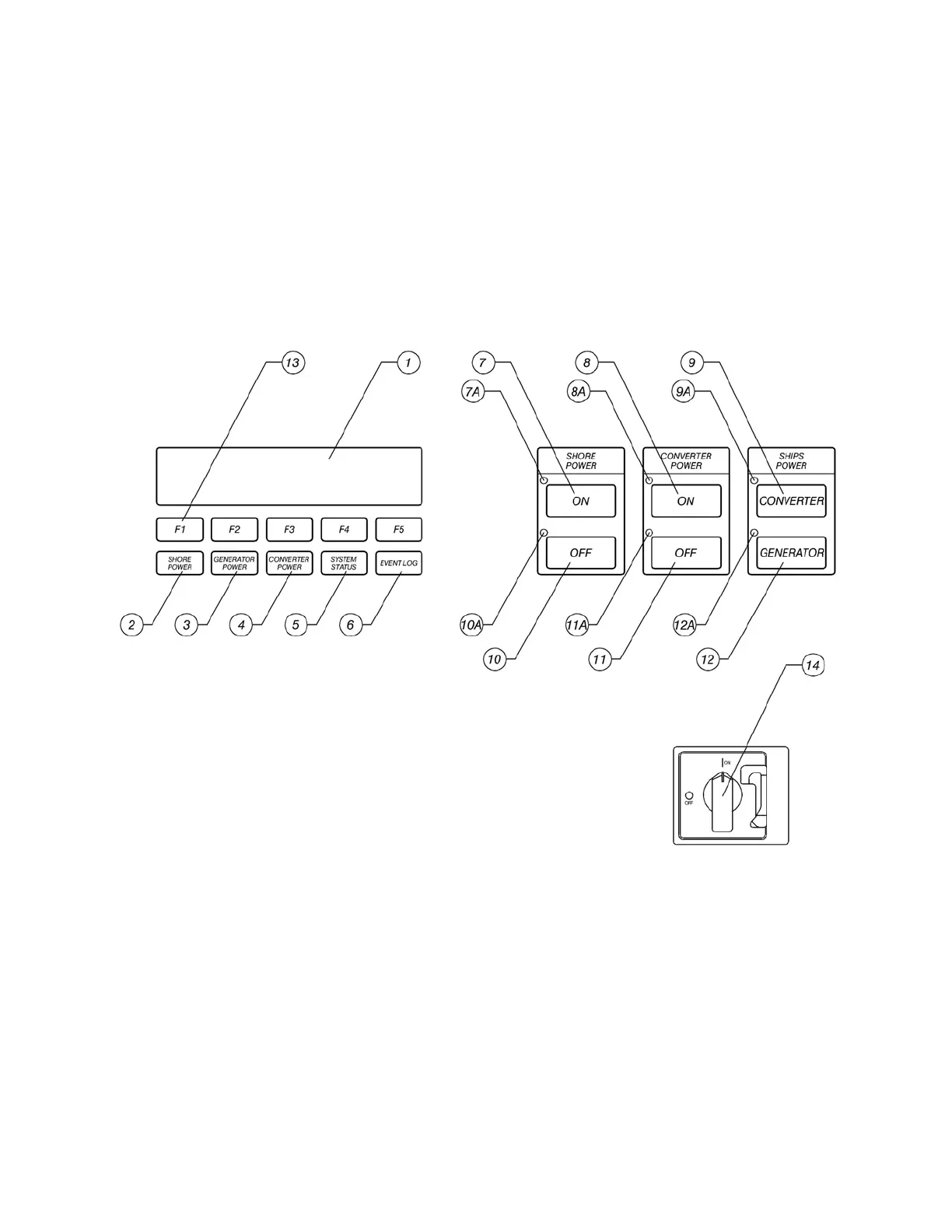
Close the shore power (input) circuit breaker or switch to the converter. Turn the disconnect
(14) switch to the ON position. After 1-3 seconds, fans will be heard, and the display will
become active. Allow the converter to initialize (the display LOAD LEVEL field will change
from 0.0 % to a small reading after initialization) before attempting to operate it.
Figure 8: FRONT PANEL CONTROLS



 To Next Page