STYLE CONTROL: OTHER OPERATIONS
INTRO/START:
Press the (INTRO/END) button when the style is not playing. The “NOR” flag will flash on
the LCD, indicating the intro section is ready to play. The length of the intro section varies
in different styles. Press the (START/STOP) button to start the intro section; this will lead
straight in to the main section.
MAIN/FILL:
In MAIN mode, press the (MAIN/FILL) button to insert a fill into the accompaniment. The
“VAR” variation section will continue after the fill. Press the (MAIN/FILL) button again to go
back the “NOR” normal accompaniment. In VARIATION mode, press (MAIN/FILL) button
to insert a fill. The main section will continue after the fill. If you hold down the (MAIN/FILL)
button when the style is playing, it will repeat until the button is released.
END:
The accompaniment can be stopped at any time using the (START/STOP) button. Though
you may also want to complete the style with an ending section; to do this press the (INTRO/
END) button and the ending sequence unique to the style selection will play.
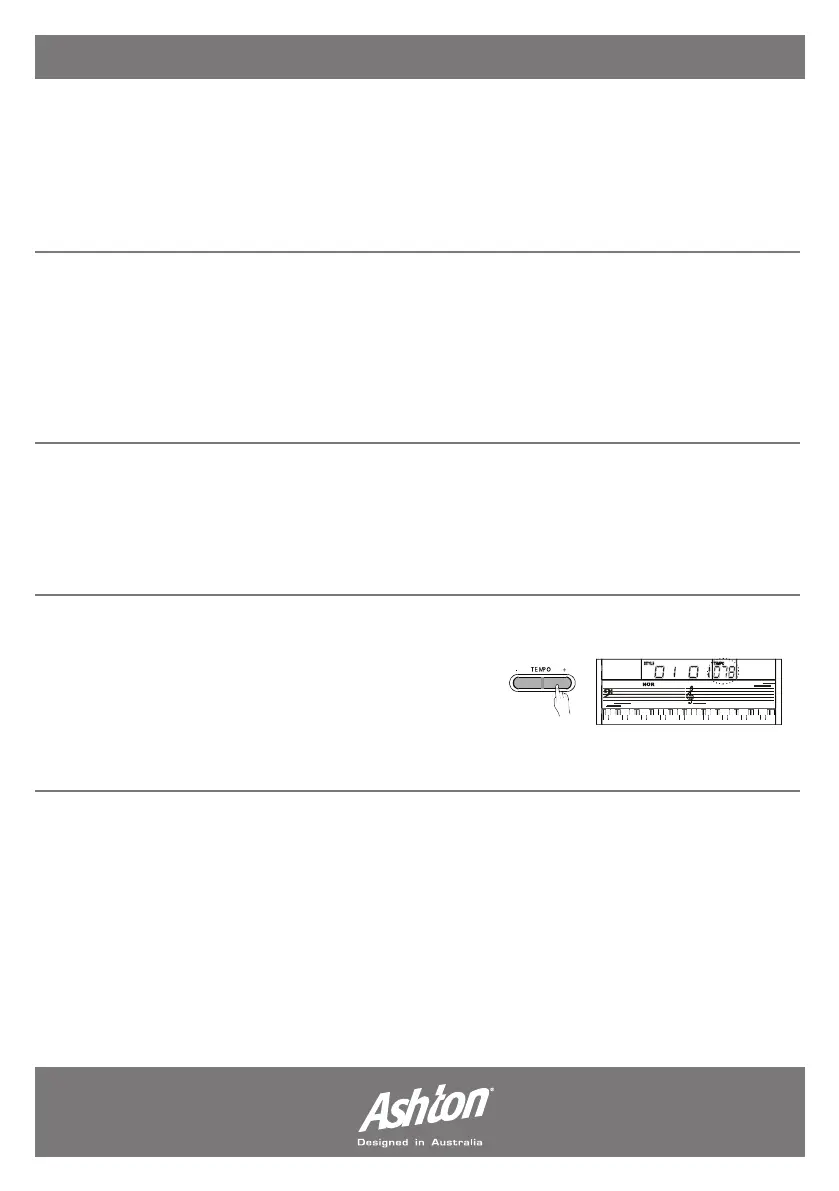
TEMPO:
Press the (TEMPO +/-) buttons to change the tempo
of a current style. To set the tempo back to the default
for your current style, press both the (TEMPO +) and
(TEMPO -) buttons simultaneously. When you change
the style the new style will automatically be set to the default tempo for that style.
- Page 10 -


 To Next Page