FUNCTION MENU:
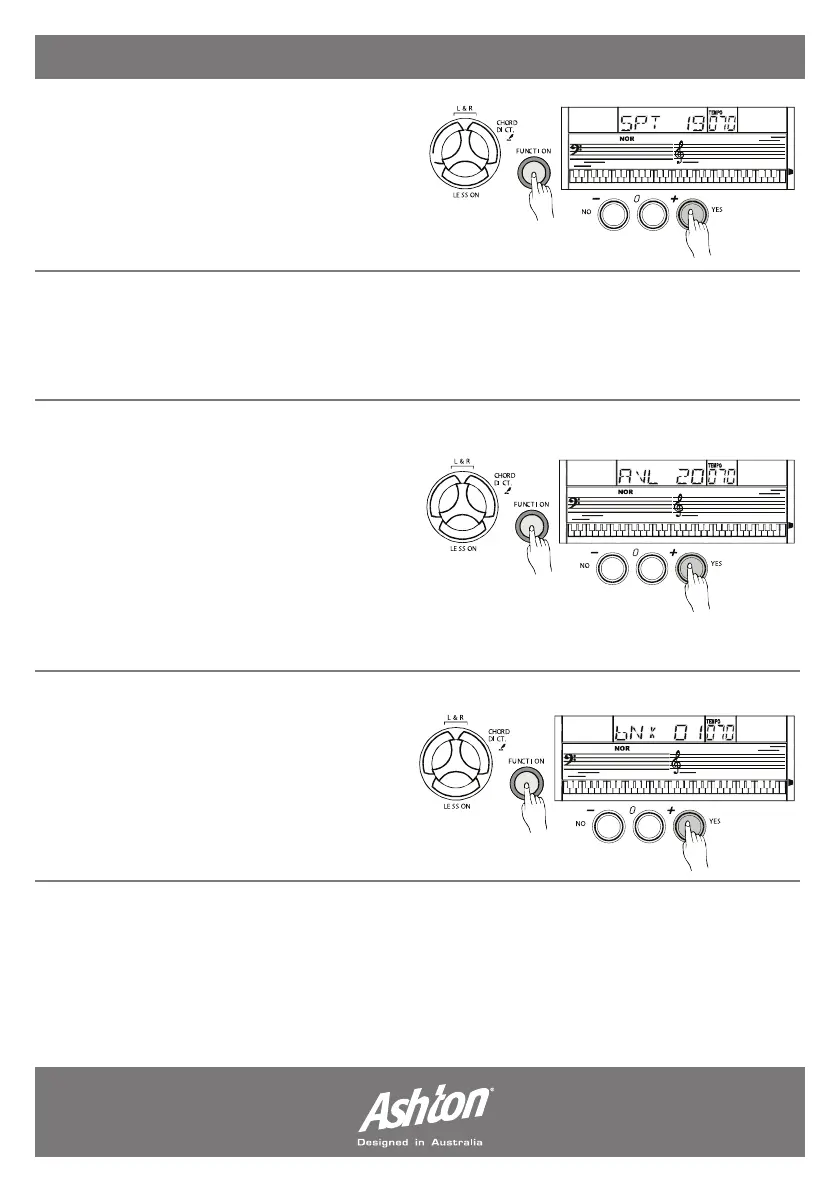
SPLIT POINT:
Press the (FUNCTION) button to enter the
SPLIT POINT sub-menu. The LCD will display
current split point value. Use the (+/YES)
and (-/NO) buttons to adjust the split point
value.
MIDI CHANNEL:
Press the (FUNCTION) button to enter the MIDI CHANNEL sub-menu. Use the (+/YES) and
(-/NO) buttons to select a midi in/out channel from 1 to 16.
ACCOMPANIMENT VOLUME:
Press the (FUNCTION) button to enter the
ACCOMP VOLUME sub-menu. The LCD will
display current accompaniment volume
value; ranging between 0 and 31). Use the
(+/YES) and (-/NO) buttons to adjust the
accompaniment volume value. To set to
default press (+/YES) and (-/NO) buttons
simultaneously- LCD will display ACC OFF.
BANK SELECT:
Press the (FUNCTION) button to enter
the BANK SELECT sub-menu. The LCD will
display BNK 01; the bank of the midi output
sound could be adjusted from 1 to 128.
- Page 16 -


 To Next Page