- Page 6 -
BASIC OPERATION
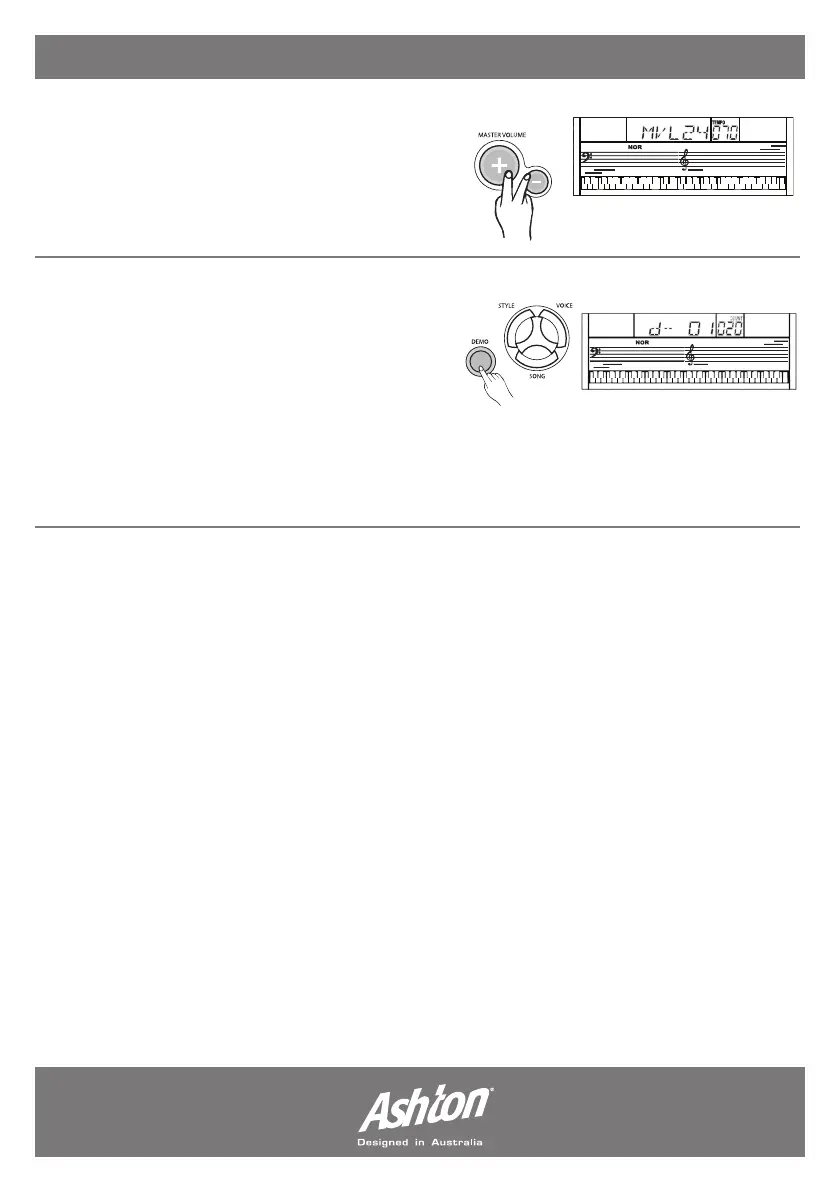
MASTER VOLUME:
The keyboard volume can be adjusted from the
values of 0 to 31 via the (MASTER VOLUME +/-)
button. The LCD screen will read MVL24, 24
being the example volume setting,
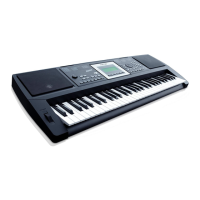
DEMO:
The AK110 keyboard includes 2 classic demo
songs. Press (DEMO) to enter the demo mode.
Select a demo song with the (+/YES), (-/NO) or
number (1 & 2) buttons. Press (START/STOP)
or (DEMO) to exit the demo mode.
Note: all function keys excluding the ones needed to control the demo mode are disabled
when the demo mode is engaged.


 To Next Page