- Page 7 -
VOICES AND EFFECTS:
The following pages contain detailed sets of instructions on how to set up voices and effects
on your AK110 keyboard. There are 157 voices in total (see appendix).
SELECTING A VOICE:
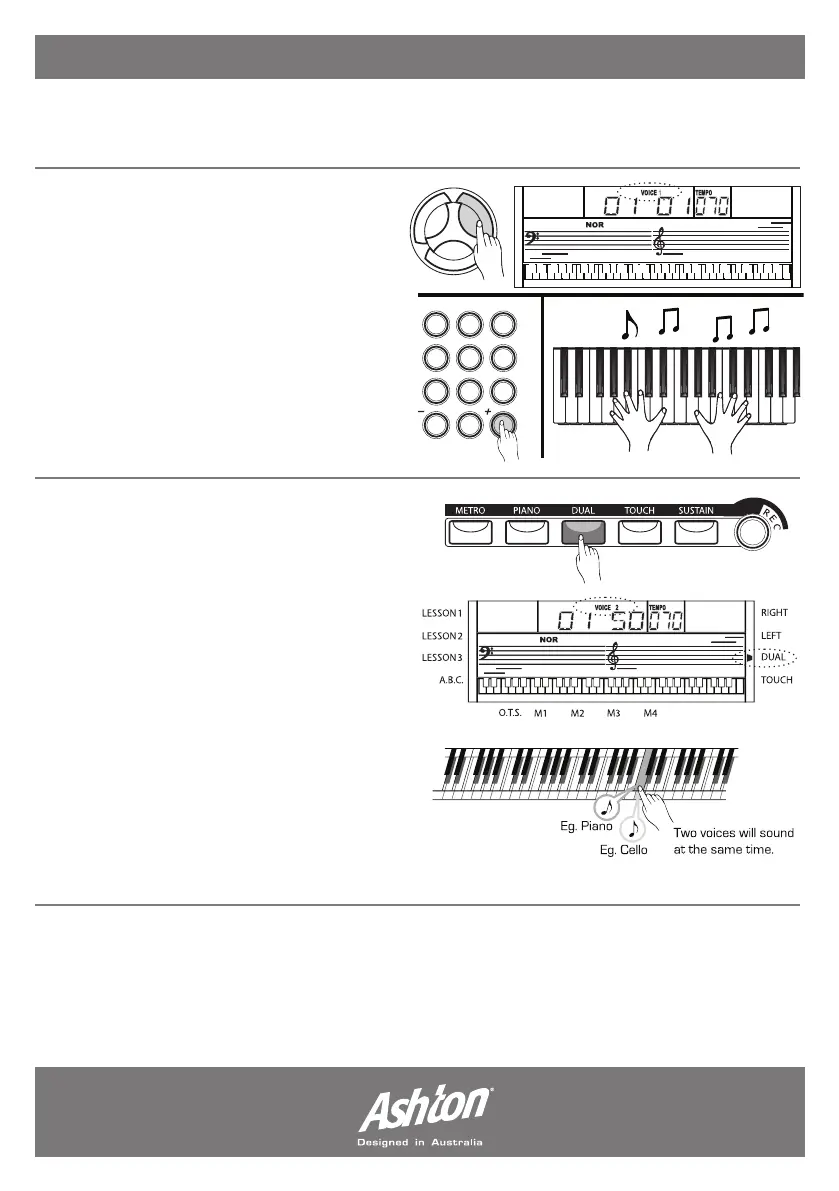
Press the (VOICE) button to enter the
voice mode. The default voice is Voice 1
(01) - this will be displayed on the LCD
screen.
Press the (+/YES) and (-/NO) buttons
to choose the desired voice from the
library. If you know the exact number of
your desired voice - you may want to use
the number pad to select it.
DUAL VOICE FUNCTION
(PLAYING 2 VOICES AT ONCE):
The AK110 has the option of playing 2
voices simultaneously. You can also get
creative and make multiple combinations.
To set the dual voice press the (DUAL)
button whilst a voice is selected. The
“DUAL” and “VOICE 2” signals will appear
on the LCD screen to indicate you are in
dual mode. In dual mode you are selecting
the second voice you wish to play - the
first is the voice you are set on before you
press the (DUAL) button. Pressing the
(DUAL) button again will take you out of
dual mode.


 To Next Page