EasyManua.ls Logo

Asko HI1611G - User Manual

Asko HI1611G
68 pages
Print Icon
To Next Page IconTo Next Page
Loading...
ֵ⭞䃠᱄ᴮ
Instructions for use
Induction hob
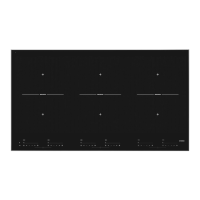
HI1995G / HI9ETA04
HI1975G / SIVK9DTA
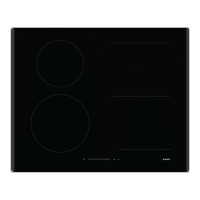
HI1655G / SIVK6ETA
HI1655M / SIVK6ETA
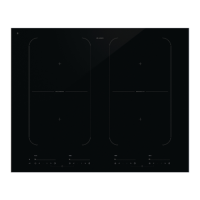
HI1355G / HI3DTA03

Other manuals for Asko HI1611G

Questions and Answers

  • K
    Kelly MccoySep 23, 2025
    What does error code F9 and/or continuous beep mean on my Asko HI1611G?
    • O
      Olivia Waller DDSSep 23, 2025
      Error code F9 and/or a continuous beep on your Asko Hob indicates that the appliance has been connected incorrectly and/or the mains voltage is too high. Let your connection be changed.
  • J
    Jay CookAug 23, 2025
    Why does the display keep flashing when I switch on a cooking zone on my Asko HI1611G Hob?
    • D
      David PearsonAug 23, 2025
      If the display keeps flashing when you switch on a cooking zone on your Asko Hob, the pan you are using is not suitable for induction cooking, or has a diameter of less than 12 cm. Use a suitable pan.
  • T
    Timothy HamiltonAug 25, 2025
    Why does the fuse blow when I switch on my Asko HI1611G?
    • A
      Amber RichardAug 26, 2025
      If a fuse blows as soon as the Asko hob is switched on, it might be wrongly connected. To solve this, check the electrical connections.
  • A
    Adam CarneyAug 27, 2025
    What to do if my Asko Hob displays 'u'?
    • E
      Elizabeth FlynnAug 27, 2025
      If the display of your Asko hob shows ‘u’ when you switch on a cooking zone, it means that the pan you are using is not suitable for induction cooking or has a diameter of less than 12 cm. Use a suitable pan.
  • D
    denniskimAug 27, 2025
    What does error code E2 mean on my Asko HI1611G Hob?
    • J
      Johnny FitzgeraldAug 27, 2025
      If you see error code E2 on your Asko hob, it means the appliance overheated and switched off. Let the appliance cool down, then start it again on a lower setting.
  • T
    teresa83Sep 17, 2025
    What does 'br' on my Asko HI1611G display mean?
    • B
      Bradley FloresSep 18, 2025
      When ‘br’ appears in the display of your Asko Hob and the touch controls are not working, it indicates that the bridge function is activated. Deactivate the bridge function.
  • J
    juliewilliamsSep 14, 2025
    What does error code F7 mean on my Asko HI1611G?
    • A
      Anna BridgesSep 14, 2025
      Error code F7 on your Asko Hob indicates that the ambient temperature is not good. To resolve this, switch off all heat sources near the cooking plate.
  • C
    cathypaulSep 15, 2025
    What to do if my Asko HI1611G shows error code F99?
    • C
      Cynthia DuncanSep 15, 2025
      If your Asko Hob displays error code F99, it means you have pressed two or more buttons at the same time. Avoid pressing multiple buttons simultaneously.
  • S
    Steven JohnsonSep 6, 2025
    Why are my pans making noise on my Asko HI1611G?
    • D
      Dr. Antonio GreenSep 6, 2025
      If the pans make noise while cooking on your Asko hob, it is because of the energy flowing from the hob to the saucepan. At high settings, this is normal for some pans and won't damage the pans or the hob.
  • J
    Jacqueline CarrollSep 3, 2025
    Why does the display light up when I first use my Asko HI1611G Hob?
    • L
      Lisa MccarthySep 3, 2025
      When the Asko hob is activated for the first time and the display lights up, this is normal operation.

Summary

Your Induction Hob

Control Panel

Details the layout and functions of the hob's control interface.

Safety Instructions

Temperature Safety

Explains temperature monitoring and protection features to prevent overheating.

Cooking-Time Limiter

Describes the safety feature that automatically switches off cooking zones after a set time.

Using Your Induction Hob

Touch Controls

Guides users on operating the hob's touch-sensitive control panel effectively.

Induction Cooking Basics

Covers the basics of induction cooking, including speed and power adjustment.

Hob Operation

Switching On and Setting Power

Instructions on powering on the hob and adjusting cooking zone power levels.

Child Lock Function

Instructions for activating and deactivating the child lock feature to prevent accidental use.

Maintenance

Cleaning Procedures

Provides detailed instructions for daily and deep cleaning of the hob.

Troubleshooting

General Issues and Table

Addresses common issues, general advice, and a table for problem diagnosis.

Error Code Solutions

Lists specific error codes and their corresponding solutions for diagnosing appliance faults.

Asko HI1611G Specifications

General IconGeneral
Hob typeZone induction hob
Frame typeFrameless
Finish typeGloss
Product colorBlack
Hob width size60 cm
Top surface typeTempered glass
Appliance placementBuilt-in
Cooking zone 1 typeLarge
Cooking zone 2 typeRegular
Number of cooking zones4 zone(s)
Regular cooking zone shapeRound
Large cooking zone diameter205 mm
Number of gas cooking zones0 zone(s)
Regular cooking zone diameter165 mm
Number of simultaneously used cooking zones4
Boost functionYes
Large cooking zone2300 W
Regular cooking zone1200 W
Pan diameters supported110 - 145 mm
Boost large cooking zone3000 W
Boost regular cooking zone1400 W
Control typeTouch
Built-in displayNo
Control positionFront
Current32 A
AC input voltage220 - 240 V
AC input frequency50 - 60 Hz
Connected load (gas)- W
Energy efficiency class-
Connected load (electric)7400 W
Power consumption (standby)0.5 W
Package depth660 mm
Package width740 mm
Package height185 mm
Package weight12100 g
Weight and Dimensions IconWeight and Dimensions
Depth520 mm
Width600 mm
Height56 mm
Weight10000 g
Installation compartment depth490 mm
Installation compartment width560 mm
Installation compartment height52 mm

Related product manuals