EN 12
Using the microwave oven
1. Connect the appliance to the mains.
2. Set the time of the day.
3. Touch the door release key to open the door.
4. Place the dish in the appliance.
5. Close the door.
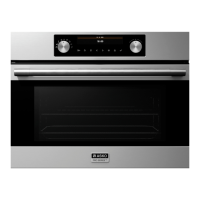
6. Turn the function knob to set the desired function.
▷ The display shows the symbols and settings of the functions.
Take a look at the several tables in this manual for more information about the functions.
7. Turn the selection knob if you want to change a blinking setting in the display.
▷ Touch the ok key to confirm a setting;
▷ Touch the ok key to select a setting that is not blinking.
8. Touch the start key to start the operation with the displayed settings.
▷ Once the set time has expired, you will hear an audible signal.
▷ ‘End’ appears in the display.
9. Touch the stop key or open the door.
▷ The audible signal stops.
▷ The time of the day will be shown in the display.
Temporary stop
While the appliance is operating, you can touch the stop key or open the door for a temporary
stop.
• The microwave emission is stopped immediately.
• The grill is de-activated but is still very hot. Danger of burning!
• The display shows the remaining operating time.
• The fan will continue to run; this is normal.
Now you can:
• Turn or stir the food to ensure it will be evenly cooked.
• Change the displayed settings.
▷ Touch the ok key once/twice.
▷ Turn the selection knob to change the time, power or weight.
• Cancel the process; touch and hold the stop key for several seconds.
• Restart the process; close the door and touch the start key.
OPERATION


 To Next Page