English
11
Antenna Cable Connection
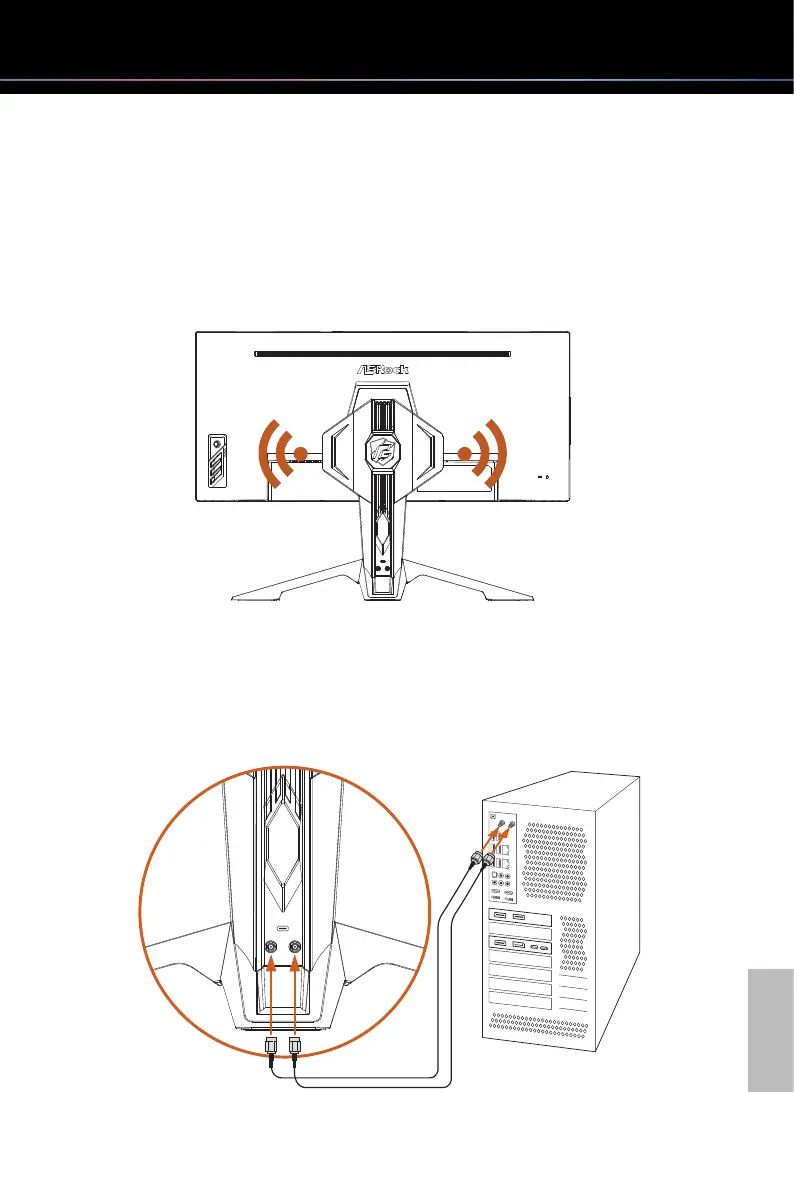
This monitor has a built-in Wi-Fi antenna. Placed on the table, the integrated antenna on
the back of the monitor provides great Wi-Fi connectivity up to 7dBi peak gain. If your
motherboard comes with built-in Wifi, use the provided antenna cables to turn your
monitor a powerful wireless antenna.
Two antenna ports are located on the back of the monitor stand. Connect one end of the
antenna cable to the antenna connector on the stand and tighten it firmly. Then connect
the other end to the antenna port on the PC or laptop.
* The transmission speed may vary according to the environment.
TYPE-A



 To Next Page