English
34
Chapter 7 POLYCHROME SYNC
This chapter provides you with the information on how to use the Polychrome Sync
software for the PG Mini OLED and the Polychrome RGB features.
7.1 PG Mini OLED
The monitor is equipped with PG Mini-OLED panel that can show dierent image les as
you prefer with the help of the Polychrome Sync soware.
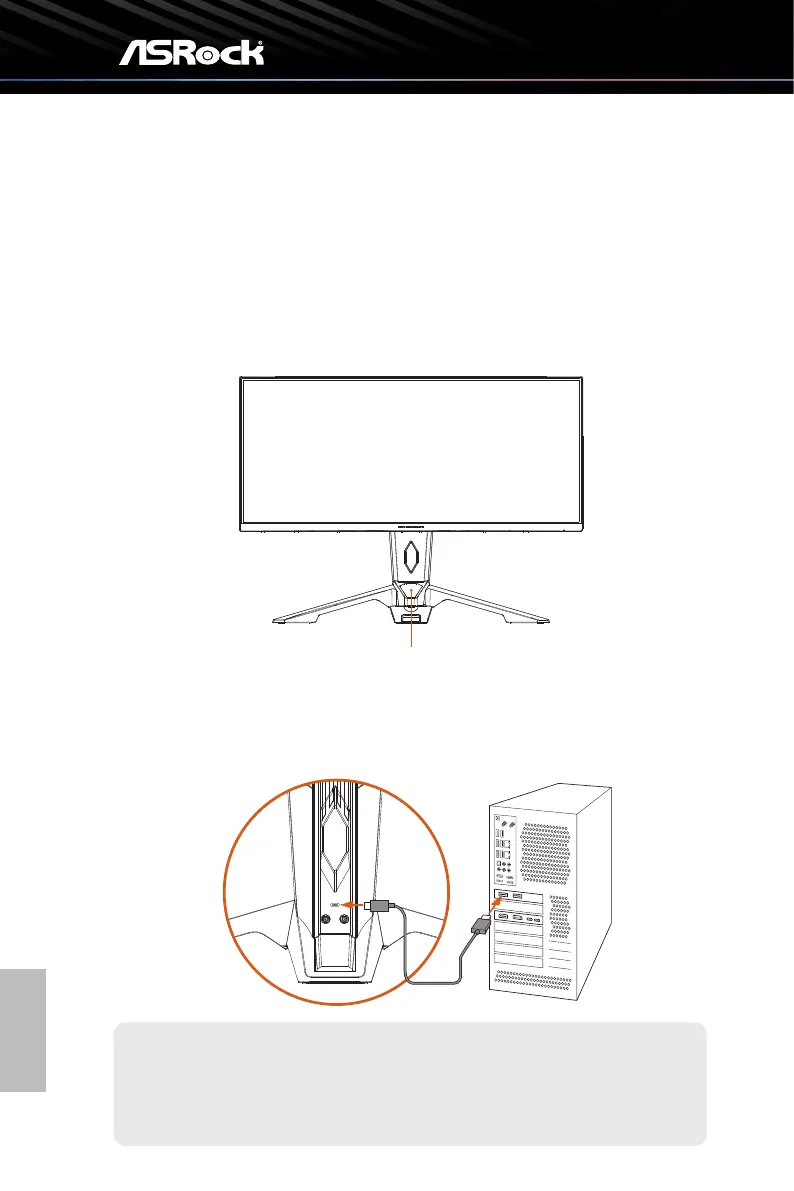
PG Mini OLED display
To set up the PG Mini-OLED feature, please follow the steps below.
1. Connect the monitor stand to your PC via the USB Type A-to-C cable.
TYPE-A
TYPE-C
The USB Type-C port on the stand is used for power supply and signal input for
the front PG Mini OLED and the rear ARGB lighng.
Important



 To Next Page