ASUS Tablet E-Manual
18
Setting up your ASUS Tablet
Installing a micro SIM card
Before you can make calls, send text messages, or connect to a mobile broadband
network using your ASUS Tablet, you need to install a micro SIM (Subscriber
Identity Module) card.
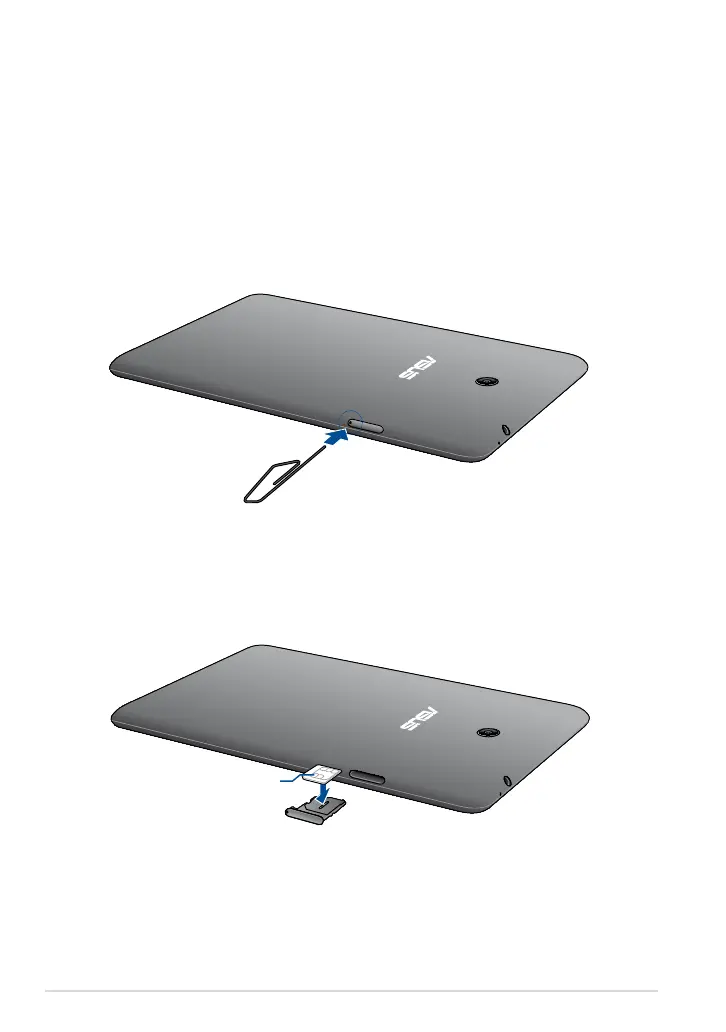
To install a micro SIM card:
1. Insert the tip of the bundled micro SIM card tray eject pin to eject the micro
SIM card tray.
2. Pull out the micro SIM card tray and place the micro SIM card on the tray with
the metal contacts facing up.
Metal contacts



 To Next Page