ASUS Tablet E-Manual
84
AudioWizard
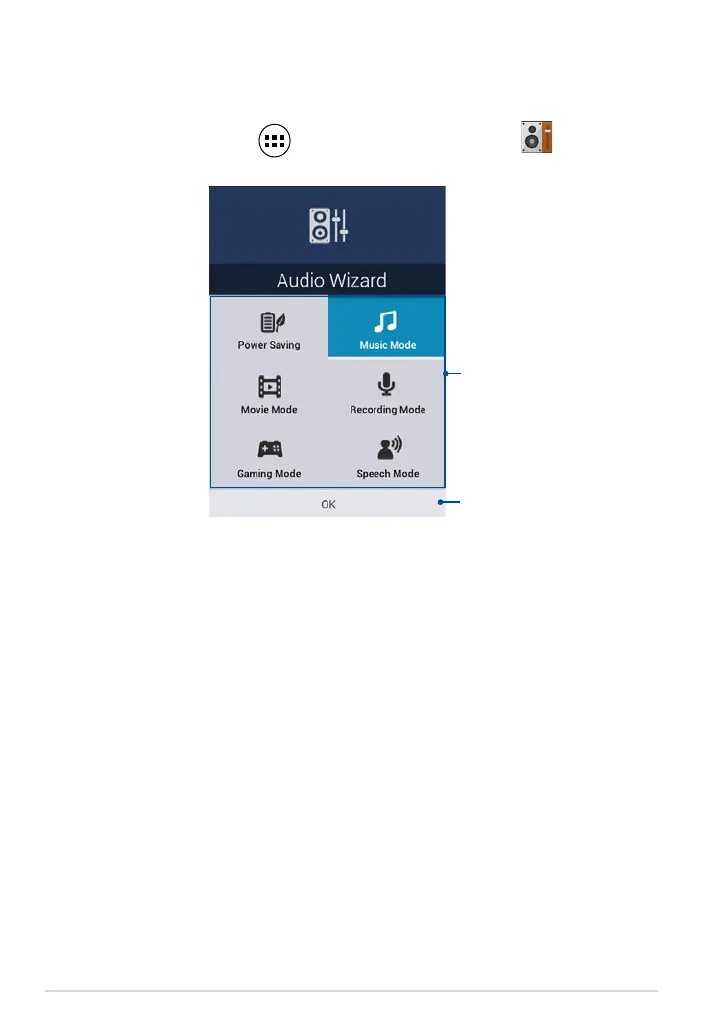
AudioWizard allows you to customize the sound modes of your ASUS Tablet for a
clearer audio output that ts the actual usage scenarios.
To launch Audio Wizard, tap on the Home Screen then tap
.
Using AudioWizard
To use AudioWizard:
1. In the AudioWizard window, tap the sound mode that you want to activate.
2. Tap
OK to save the selected sound mode and exit the AudioWizard window.
Preset modes
Tap to conrm mode selection



 To Next Page