K00E
89
ASUS Battery
ASUS Battery is a special widget designed to show the battery status of your ASUS
Tablet and its connected accessories by percentage and color.
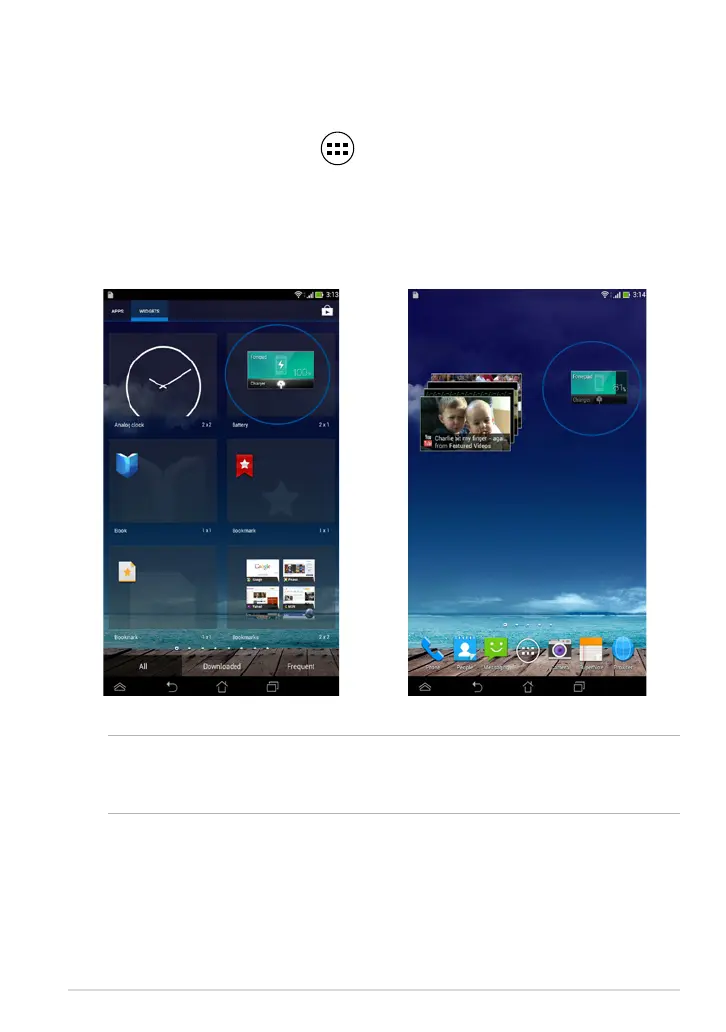
To view ASUS Battery widget, tap on the Home Screen then tap WIDGETS.
Displaying the ASUS Battery widget on the Home Screen
From the Widgets screen, swipe your nger to the left or to the right to look for
ASUS Battery widget. Tap and hold the widget, then drag it to the Home Screen.
NOTE: You can also view your ASUS Tablet’s battery status in ASUS Quick Setting
and notication area. For more details, refer to sections ASUS Quick Setting and
Notication panel.



 To Next Page