ASUS Tablet E-Manual
58
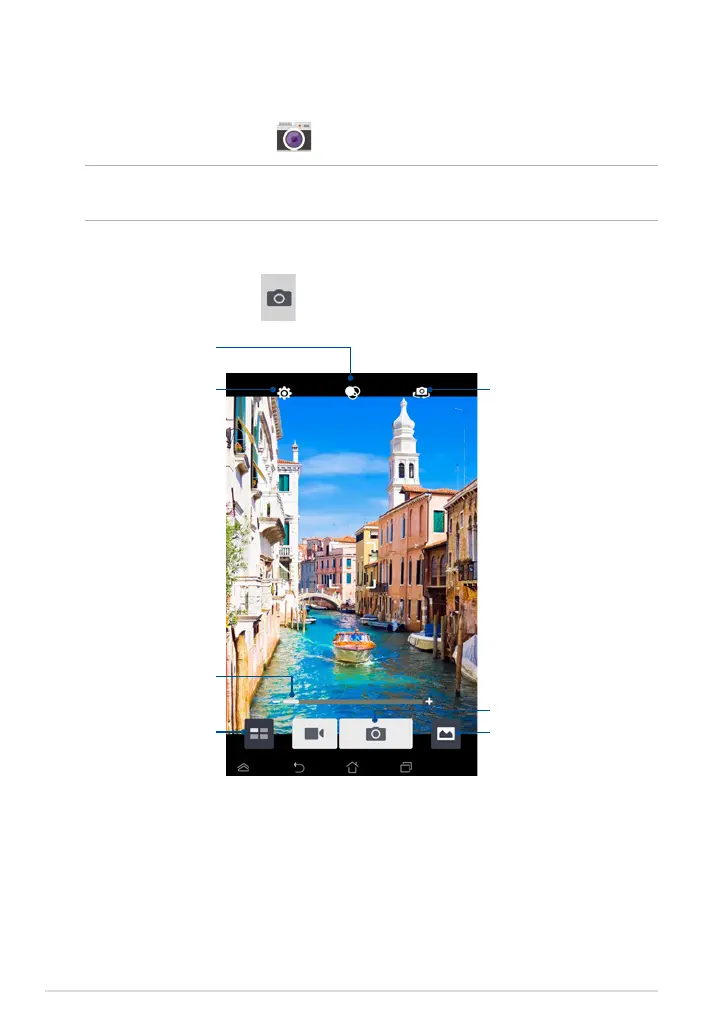
Tap to congure camera
settings
Tap to switch camera
Tap to select eects
Slide to zoom in/zoom out
Tap to preview recent pictures/videos
Tap to capture pictures
Tap to select modes
Taking pictures
From the camera screen, tap to take pictures.
Camera
The camera app allows you to take pictures and record videos using your ASUS
Tablet.
To launch the Camera app, tap
on the Home Screen.
NOTE: The taken pictures and recorded videos can be viewed using the Gallery
app.



 To Next Page