ASUS Tablet E-Manual
86
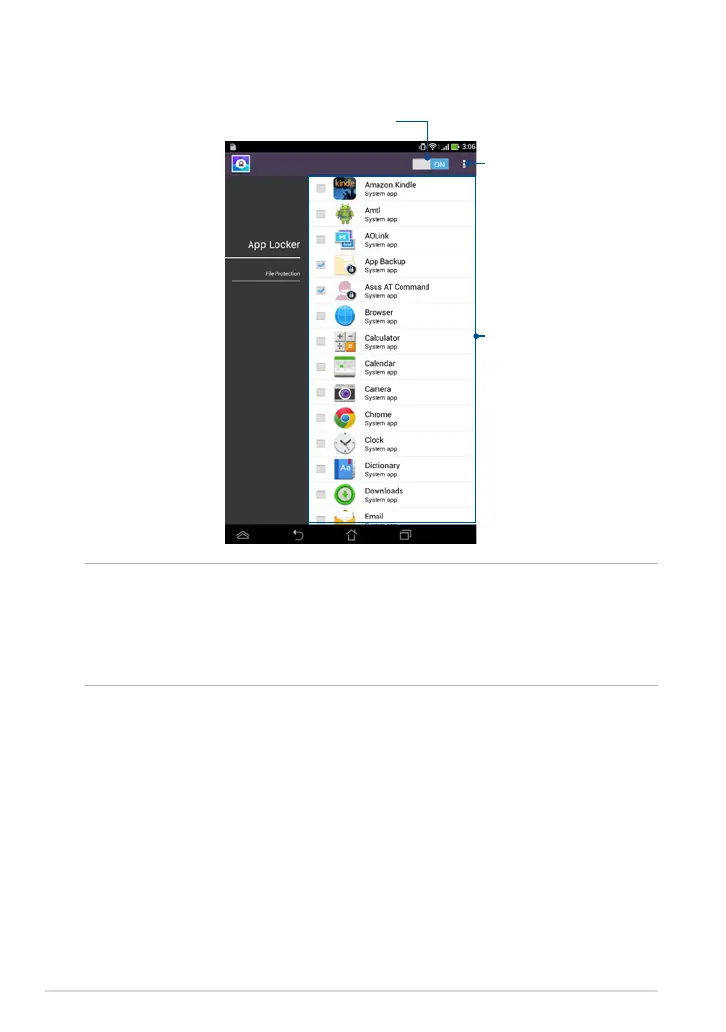
App Locker screen
Tap this to congure the settings
of App Locker.
Move the slider to the right to enable the
App Locker and activate the app list.
Tap the apps that you want to lock
or tap the locked app to unlock it.
NOTES:
• The apps that you locked appear as locked icons on the Home Screen.
• App Locker prompts you to key in your password every time you launch a locked
app.



 To Next Page