18 ASUS P3C-E User’s Manual
3. HARDWARE SETUP
Motherboard Settings
3. H/W SETUP
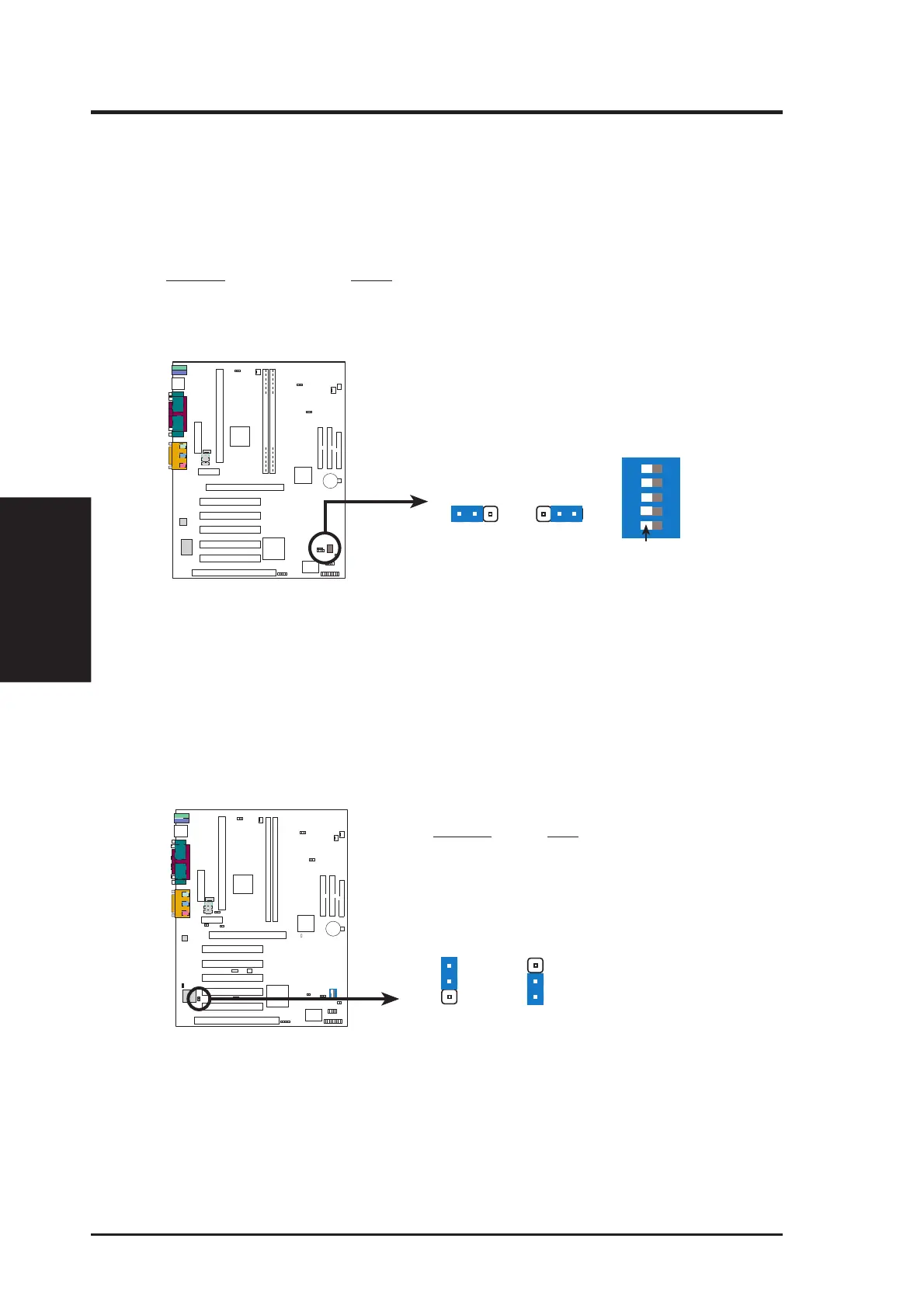
1) JumperFree™ Mode (JP22)
This jumper allows you to enable or disable the JumperFree™ mode. The
JumperFree™ mode allows processor settings to be made through the BIOS
setup (see 4.4 Advanced Menu).
NOTE: In JumperFree™ mode, all dip switches (DSW) must be set to OFF.
Setting JP22
Enable (JumperFree) [1-2] (default)
Disable (Jumper) [2-3]
P3C-E JumperFree™ Mode Setting
JumperFree Jumper
123
1
2
3
JP22
P3C-E
PARALLEL PORT
OPTIONAL
4
3
2
1
(JumperFree Mode)
ON
12345
DSW
(SW2)
OFF
2) Audio Controller Setting (JP2) (on model with onboard audio)
This jumper allows you to enable or disable the onboard 32-bit PCI audio control-
ler (optional component). Disable the onboard audio if you are using a PCI audio
card on any of the expansion slots or a primary AMR on the AMR slot (see 3.7.3
Audio Modem Riser (AMR) Slot). If using a PCI audio card, Onboard AC97
Audio Controller in 4.4.2 1/O Device Configuration must also be disabled.
P3C-E
P3C-E Audio Controller Setting
Enable Disable
3
2
1
JP2
3
2
1
Setting JP2
Enable [1-2] (default)
Disable [2-3]







 To Next Page