92
5. SOFTWARE SETUP
P3C-E User’s Manual
5. S/W SETUP
Windows 98
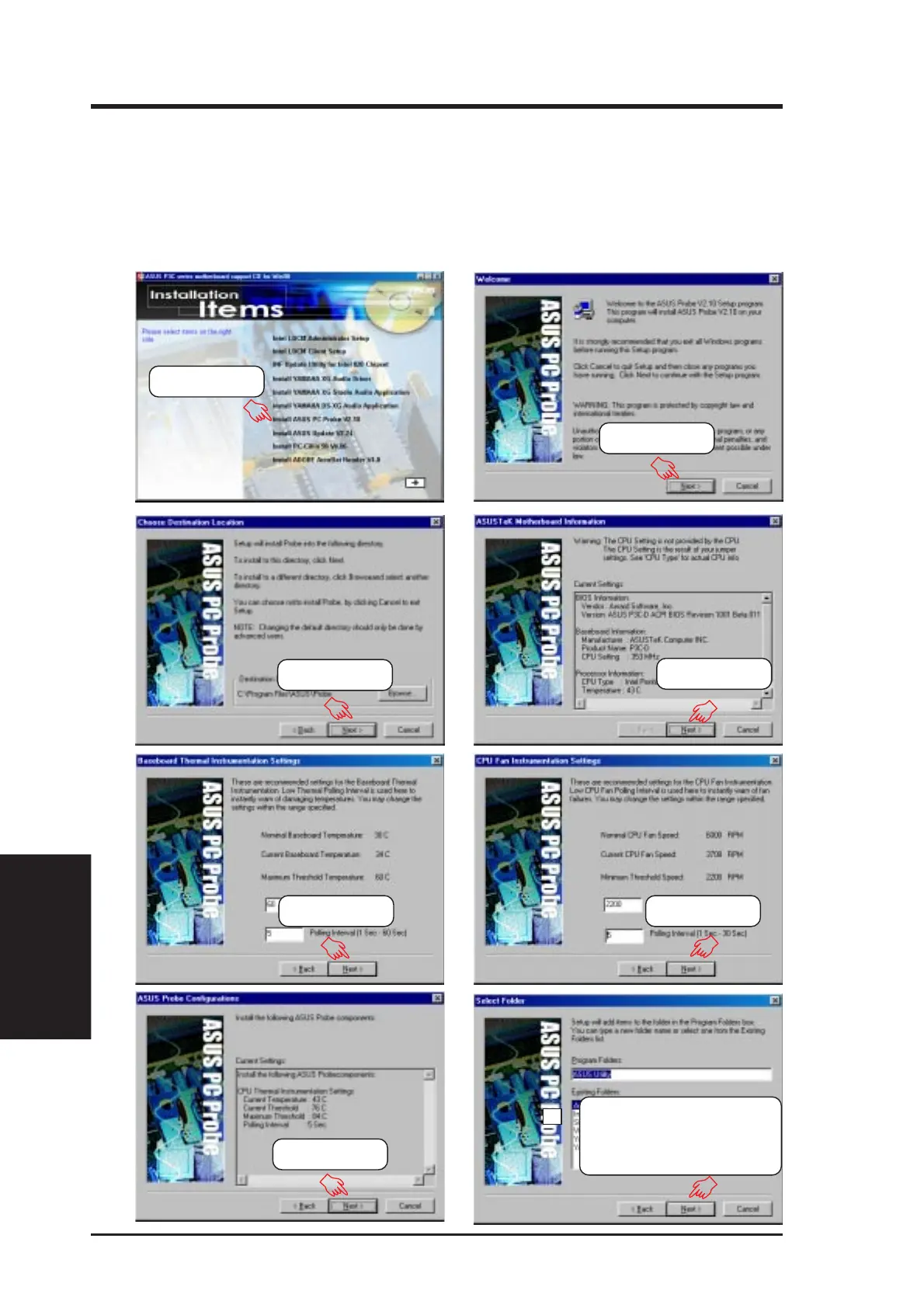
5.9 Install ASUS PC Probe V2.10
Insert the Support CD that came with your motherboard into your CD-ROM drive
or double-click the CD drive icon in My Computer to bring up the setup screen.
NOTE: ASUS PC Probe will not run if another hardware monitoring utility is in-
stalled. To uninstall any program, see 5.13 Uninstalling Programs.
(1) Click here.
(2) Click here.
(3) Click here.
(4) Click here.
(5) Click here. (6) Click here.
(7) Click here.
(8) Click Next and when
the Setup Complete box
appears, click Finish to
complete setup.







 To Next Page