ASUS P3C-E User’s Manual 49
4. BIOS SETUP
Updating BIOS
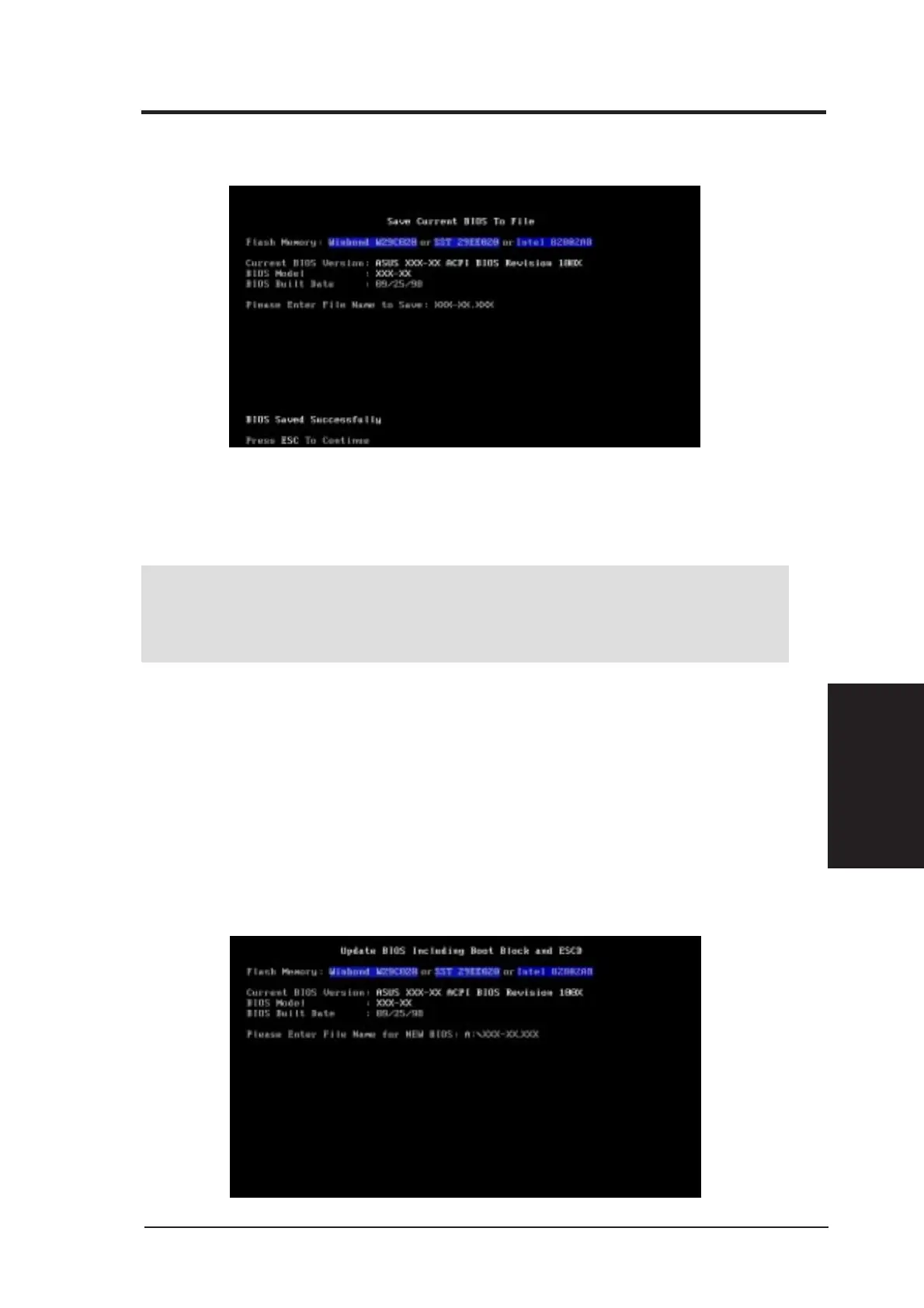
5. Select 1. Save Current BIOS to File from the Main menu and press
<Enter>. The Save Current BIOS To File screen appears.
6. Type a filename and the path, for example, A:\XXX-XX.XXX and then press
<Enter>.
4.1.2 Updating BIOS Procedures
WARNING! Only update your BIOS if you have problems with your mother-
board and you know that the new BIOS revision will solve your problems. Care-
less updating can result in your motherboard having more problems!
1. Download an updated ASUS BIOS file from the Internet (WWW or
FTP) (see ASUS CONTACT INFORMATION on page 3 for details)
and save to the disk you created earlier.
2. Boot from the disk you created earlier.
3. At the “A:\” prompt, type AFLASH and then press <Enter>.
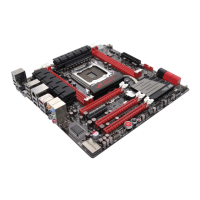
4. At the Main Menu, type 2 and then press <Enter>. The Update BIOS
Including Boot Block and ESCD screen appears.
5. Type the filename of your new BIOS and the path, for example, A:\XXX-
XX.XXX, and then press <Enter>.
NOTE: To cancel this operation, press <Enter>.
4. BIOS SETUP







 To Next Page