ASUS P3C-E User’s Manual 71
4. BIOS SETUP
4. BIOS SETUP
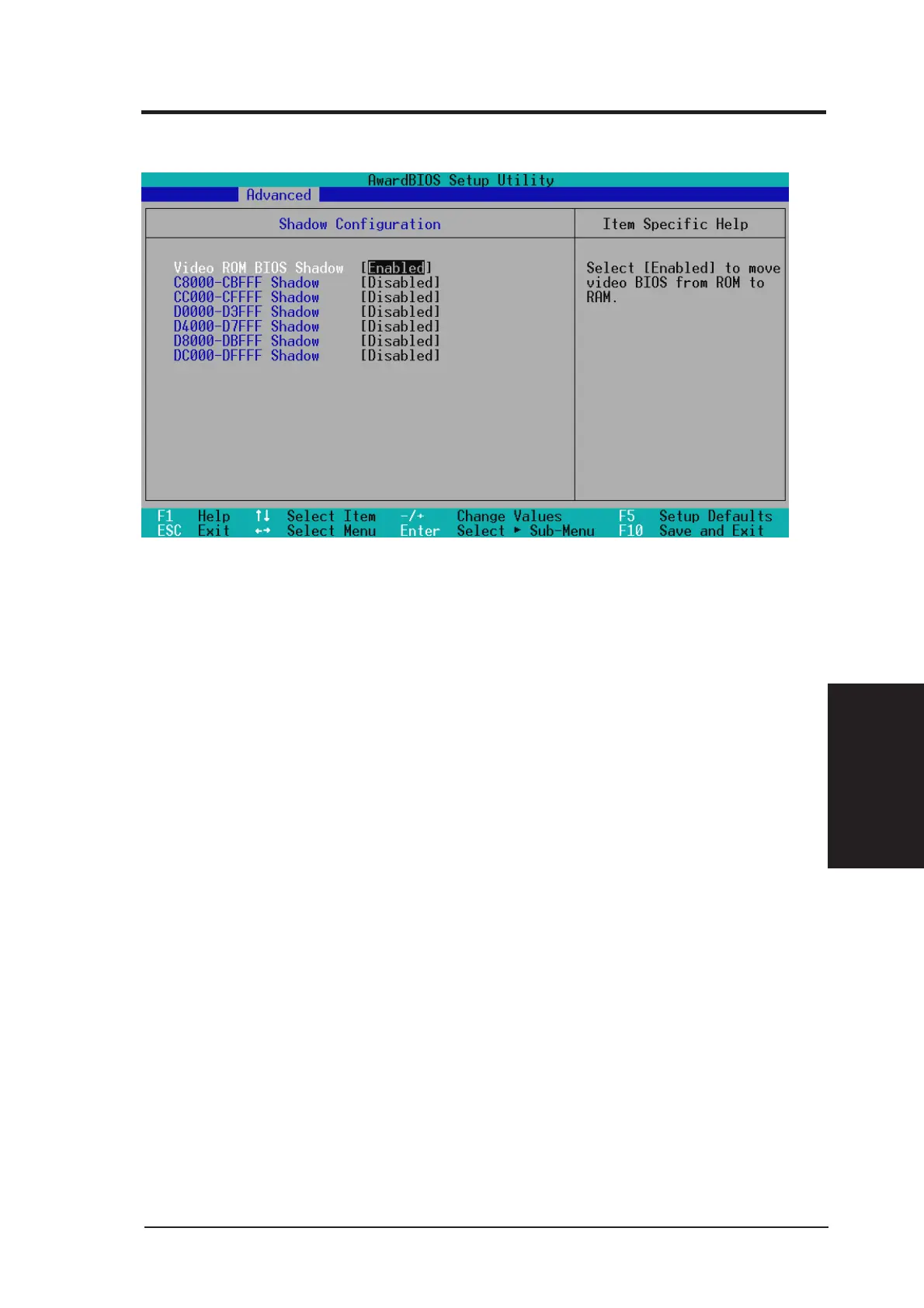
Shadow Configuration
Video ROM BIOS Shadow [Enabled]
This field allows you to change the video BIOS location from ROM to RAM. Relocat-
ing to RAM enhances system performance, as information access is faster than the
ROM. Configuration options: [Disabled] [Enabled]
C8000-DFFFF Shadow [Disabled]
These fields are used for shadowing other expansion card ROMs. If you install other
expansion cards with ROMs on them, you will need to know which addresses the
ROMs use to shadow them specifically. Shadowing a ROM reduces the memory avail-
able between 640K and 1024K by the amount used for this purpose. Configuration
options: [Disabled] [Enabled]
4.4.4 Shadow Configuration







 To Next Page