94
5. SOFTWARE SETUP
P3C-E User’s Manual
5. S/W SETUP
Windows 98
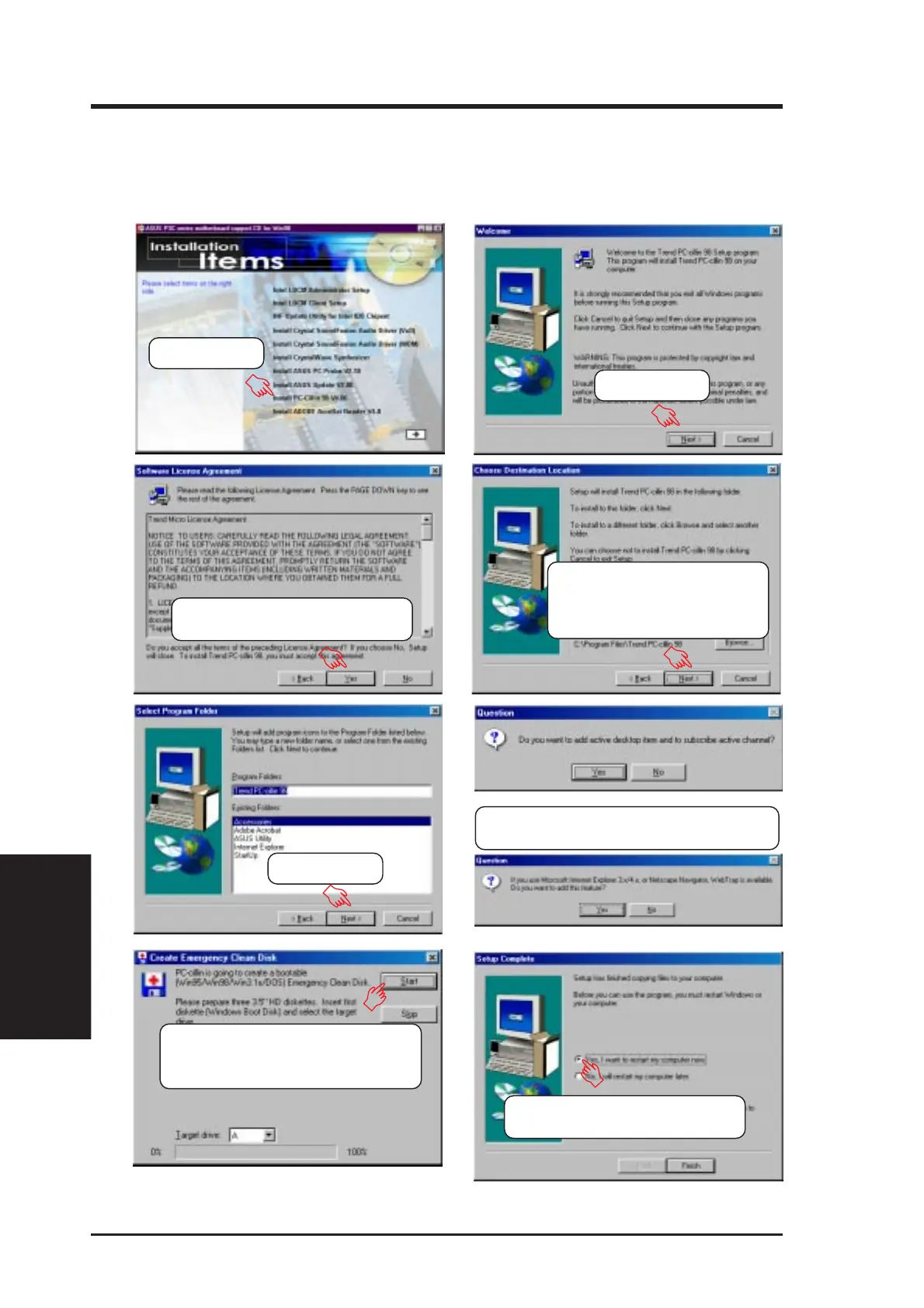
5.11 Install PC-Cillin 98 V4.06
Insert the Support CD that came with your motherboard into your CD-ROM drive
or double-click the CD drive icon in My Computer to bring up the setup screen.
(3) Click here only after you have
read the License Agreement.
(8) Insert a floppy disk and then click
here. Once the Emergency Clean
disk is created, click OK.
(2) Click here.
(4) Setup will proceed with
the installation if no
viruses are found. Click
here to start installation.
(5) Click here.
(6) & (7) Select the preferred features by
clicking the appropriate buttons.
(9) Click here and then
click Finish to restart.
(1) Click here.







 To Next Page