ASUS P3C-E User’s Manual 59
4. BIOS SETUP
4. BIOS SETUP
Main Menu
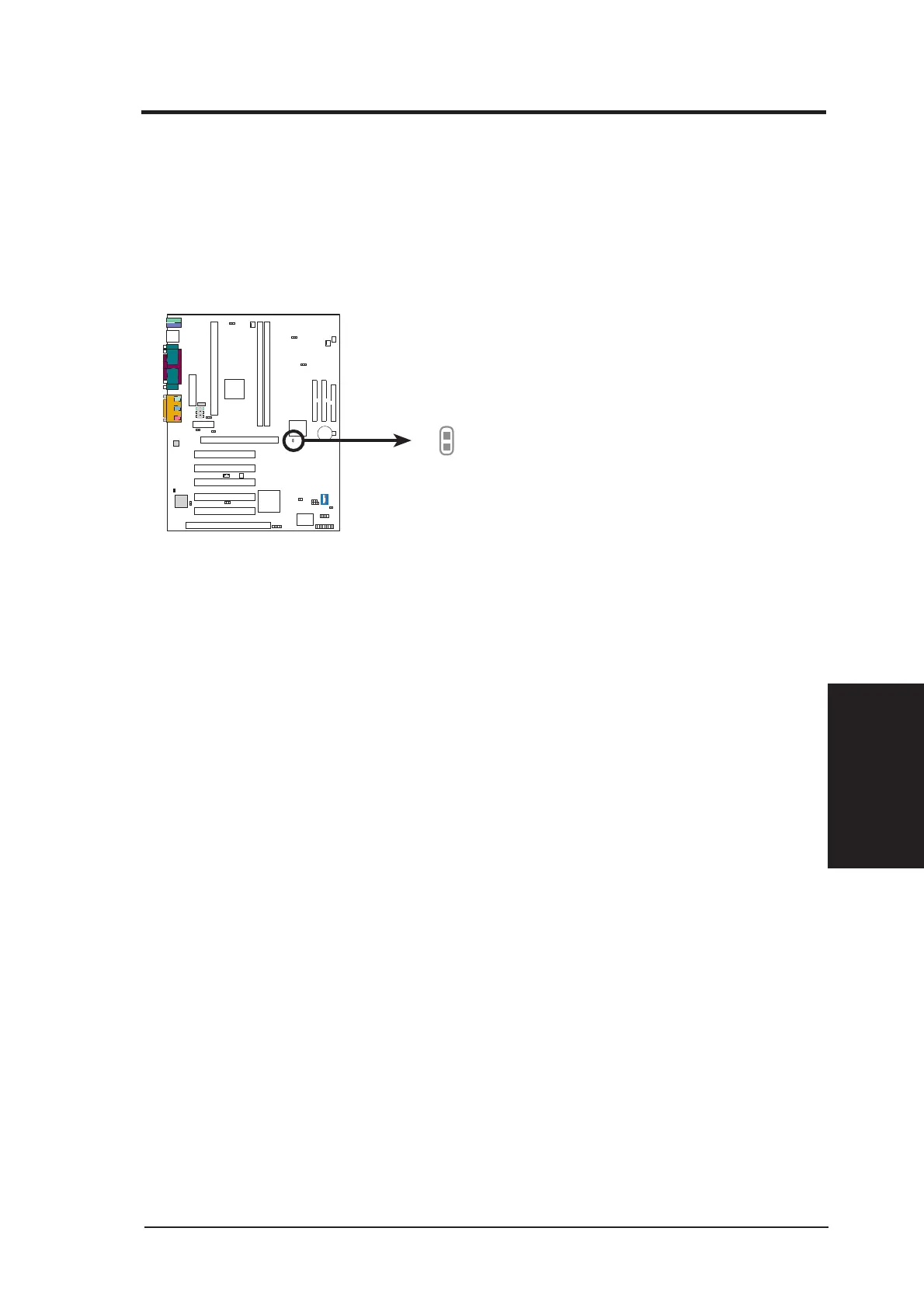
Forgot the password?
If you forgot the password, you can clear the password by erasing the CMOS Real
Time Clock (RTC) RAM. The RAM data containing the password information is pow-
ered by the onboard button cell battery. To erase the RTC RAM: (1) Unplug your
computer, (2) Short the solder points, (3) Turn ON your computer, (4) Hold down
<Delete> during bootup and enter BIOS setup to re-enter user preferences.
Short solder points
to Clear CMOS
P3C-E Clear RTC RAM
P3C-E
CLRTC
Halt On [All Errors]
This field determines which types of errors will cause the system to halt. Configuration
options: [All Errors] [No Error] [All but Keyboard] [All but Disk] [All but Disk/Key-
board]
Installed Memory [XXX MB]
This field displays the amount of conventional memory detected by the system during
bootup. You do not need to make changes to this field. This is a display only field.







 To Next Page