ASUS P3C-E User’s Manual 67
4. BIOS SETUP
4. BIOS SETUP
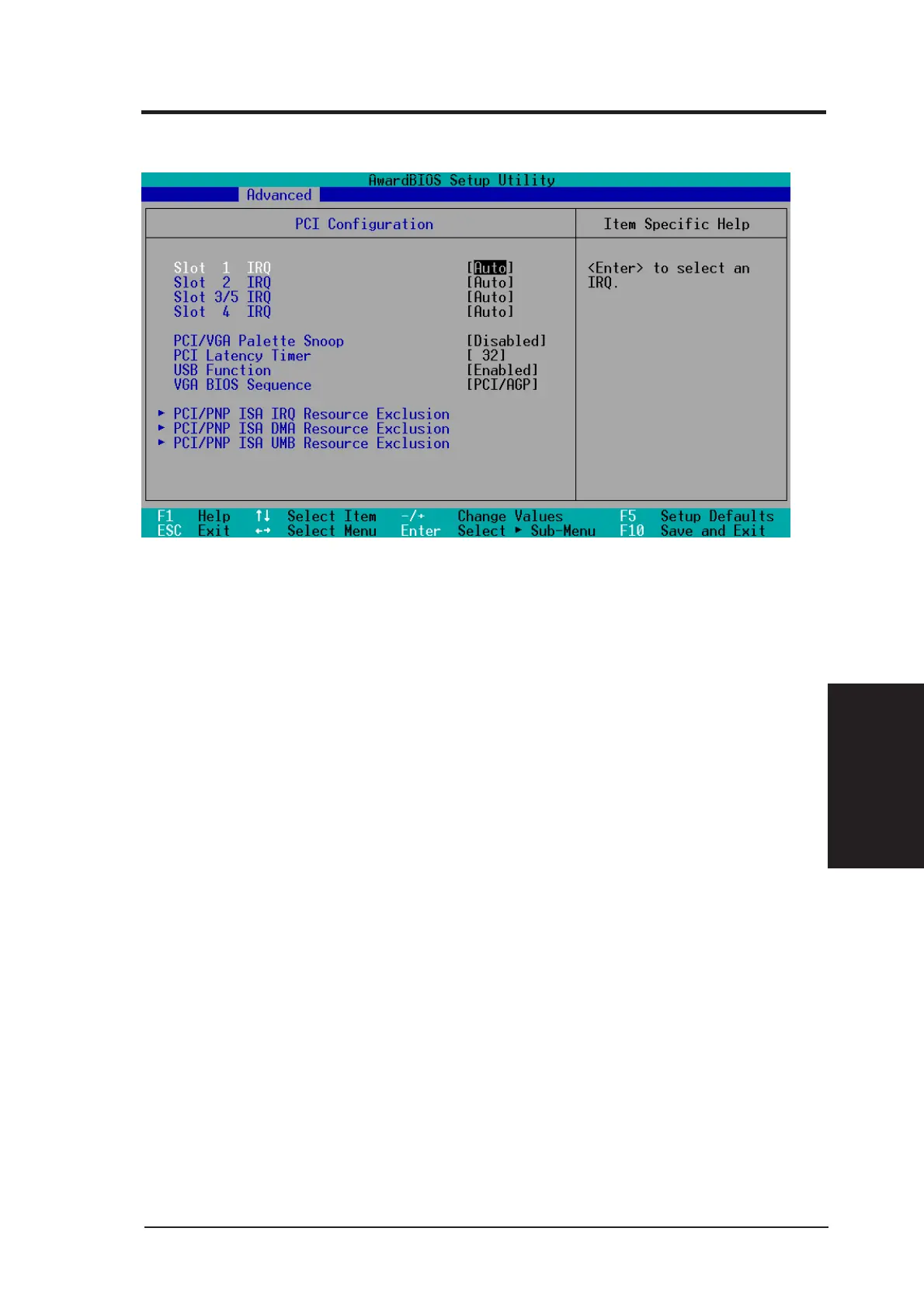
PCI Configuration
Slot 1, Slot 2, Slot 3/5, Slot 4 IRQ [Auto]
These fields set how IRQ use is determined for each PCI slot. The default
setting for each field is [Auto], which uses auto-routing to determine IRQ use.
Configuration options: [Auto] [NA] [3] [4] [5] [7] [9] [10] [11] [12] [14] [15]
PCI/VGA Palette Snoop [Disabled]
Some nonstandard VGA cards, such as graphics accelerators or MPEG Video
Cards, may not show colors properly. The setting [Enabled] should correct
this problem. Otherwise, leave this on the default setting of [Disabled].
Configuration options: [Disabled] [Enabled]
PCI Latency Timer [32]
Leave on default setting for best performance vs. stability.
USB Function [Enabled]
This motherboard supports Universal Serial Bus (USB) devices. Set to [En-
abled] if you want to use USB devices. Configuration options: [Disabled]
[Enabled]
VGA BIOS Sequence [PCI/AGP]
If your computer has both PCI and AGP VGA cards, this field allows you to
select which of the cards will act as your primary card. The default, [PCI/
AGP], allows your PCI card to take precedent when detected. [AGP/PCI]
uses the AGP card as your primary card. Configuration options: [PCI/AGP]
[AGP/PCI]
4.4.3 PCI Configuration







 To Next Page