32 ASUS P3C-E User’s Manual
3. HARDWARE SETUP
3.6.5 Recommended Heatsinks for Slot 1 Processors
The recommended heatsinks for the Slot 1 processors are those with three-pin fans,
such as the ASUS Smart Fan, that can be connected to the motherboard’s CPU fan
connector. These heatsinks dissipate heat more efficiently and with an optional hard-
ware monitor, they can monitor the fan’s RPM and use the alert function with the
Intel LANDesk Client Manager (LDCM) or the ASUS PC Probe software.
SECC Heatsink & Fan SECC2 Heatsink & Fan
NOTE: The SEPP heatsink and fan (for Intel Celeron processors) is similar to the
SECC2 heatsink and fan except that the clamping design is different.
CPU
3. H/W SETUP
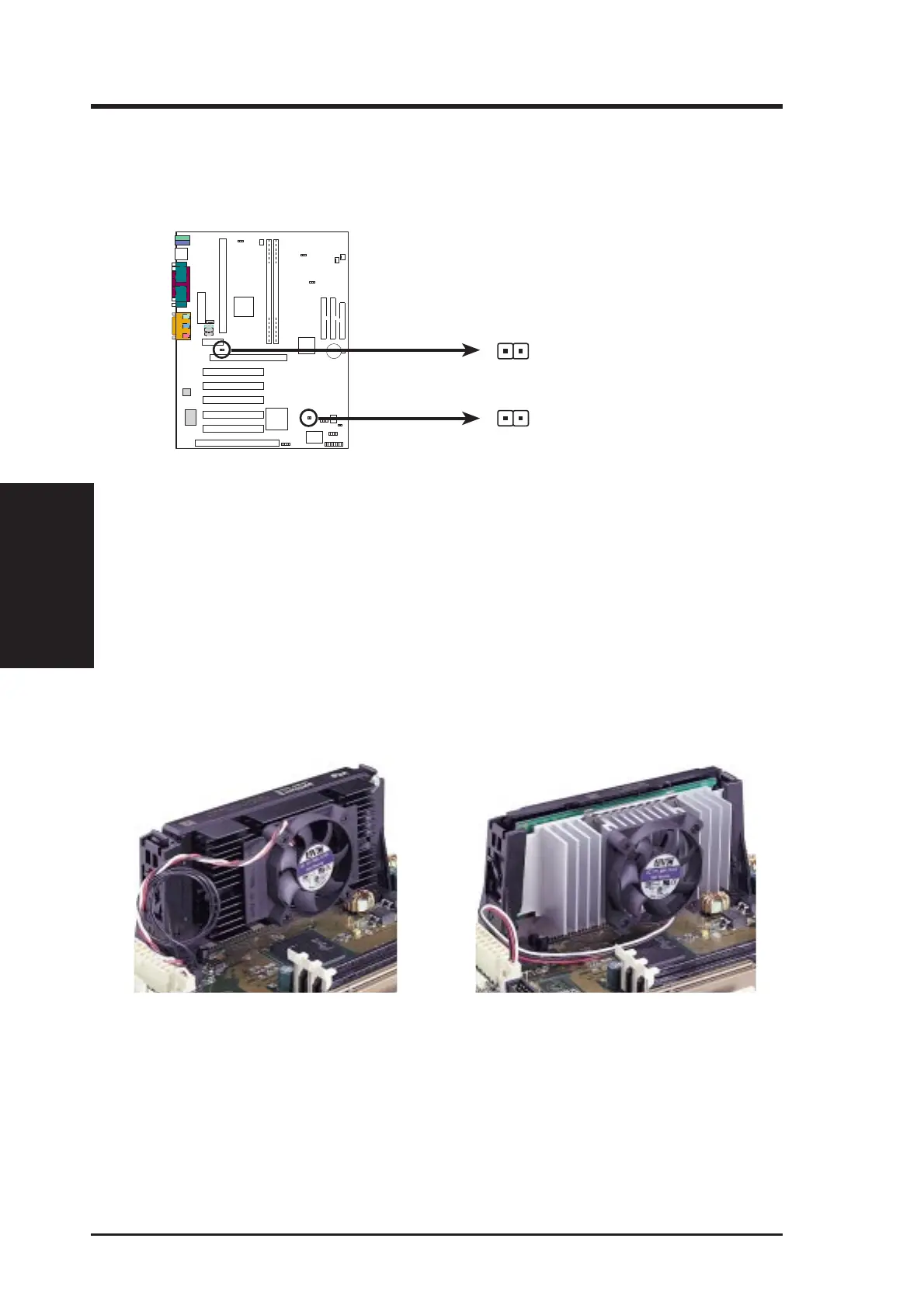
2. Connect the P2T-Cable to the CPU thermal sensor connector (TRCPU).
NOTE: Recent CPUs support CPU temperature output. Adding P2T-Cable may
result in inaccurate measurement.
P3C-E Thermal Sensor Connectors
P3C-E
PARALLEL PORT
OPTIONAL
4
3
2
1
TRPWR
TRCPU
NOTE: If you have a power supply with thermal monitoring, connect its thermal
sensor cable to TRPWR.







 To Next Page