42 ASUS P3C-E User’s Manual
3. HARDWARE SETUP
Connectors
3. H/W SETUP
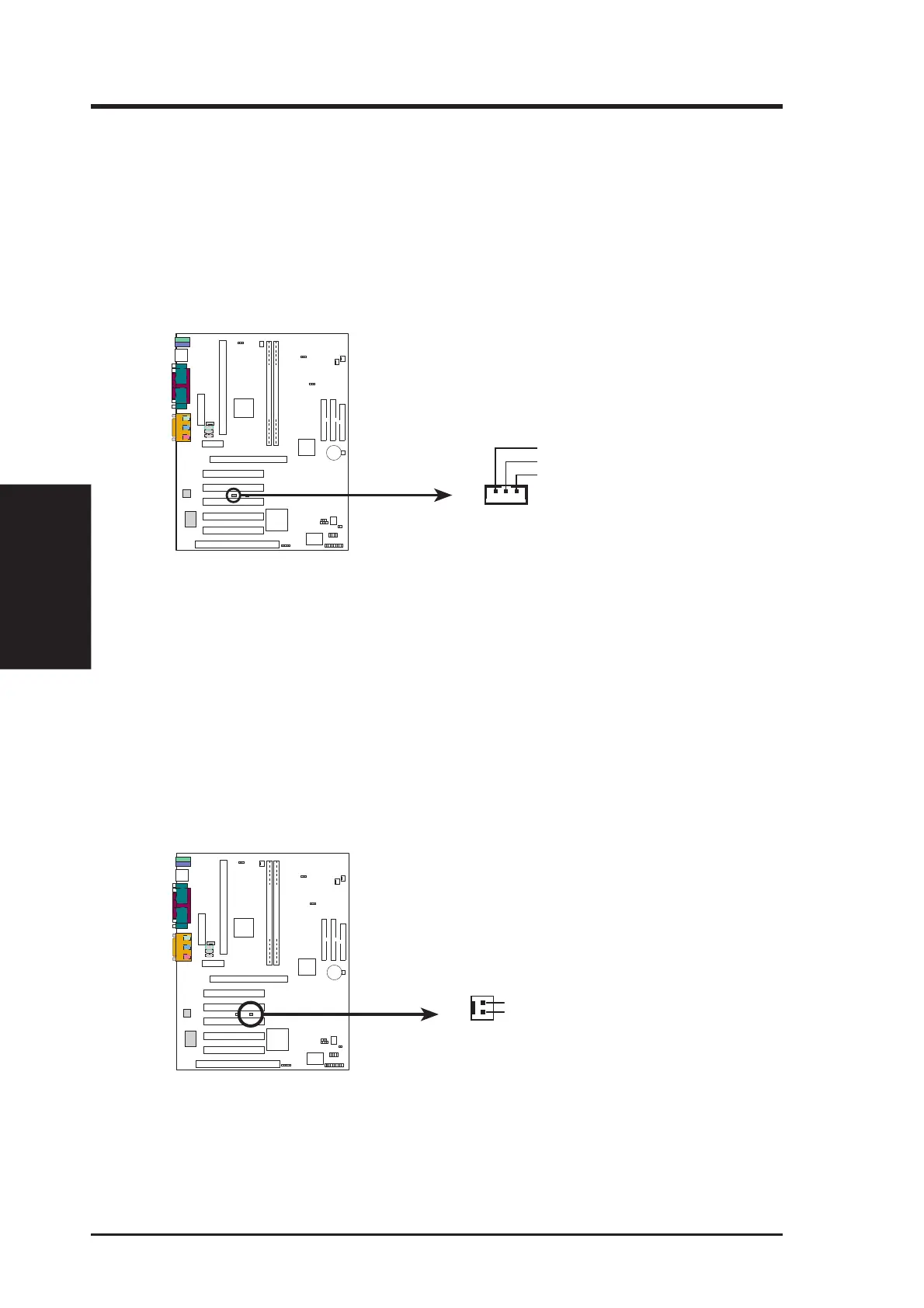
11) Wake-On-LAN Connector (3-pin WOL_CON)
This connector connects to a LAN card with a Wake-On-LAN output, such as
the ASUS PCI-L101 Ethernet card (see 7. Appendix). The connector powers up
the system when a wakeup packet or signal is received through the LAN card.
IMPORTANT: This feature requires that Wake-On-Lan features are enabled
(see 4.4.3 Power Management) and that your system has an ATX power supply
with at least 720mA +5V standby power.
P3C-E Wake-On-LAN Connector
IMPORTANT: Requires an ATX power
supply with at least 720mA +5 volt
standby power
+5 Volt Standby
PME
Ground
WOL_CON
P3C-E
PARALLEL PORT
OPTIONAL
4
3
2
1
12) Wake-On-Ring Connector (2-pin WOR)
This connector connects to internal modem cards with a Wake-On-Ring output.
The connector powers up the system when a ringup packet or signal is received
through the internal modem card. NOTE: For external modems, Wake-On-Ring
is detected through the COM port.
IMPORTANT: This feature requires that Wake-On-Ring features are enabled
(see 4.4.3 Power Management) and that your system has an ATX power supply
with at least 720mA +5V standby power.
P3C-E Wake-On-Ring Connector
JP15
P3C-E
PARALLEL PORT
OPTIONAL
4
3
2
1
Ring#
Ground
2
1







 To Next Page