5. Connecting Speakers and Peripherals
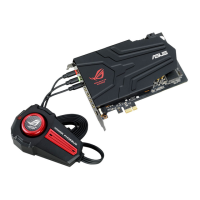
5.1 Connecting to Phoebus Control Box
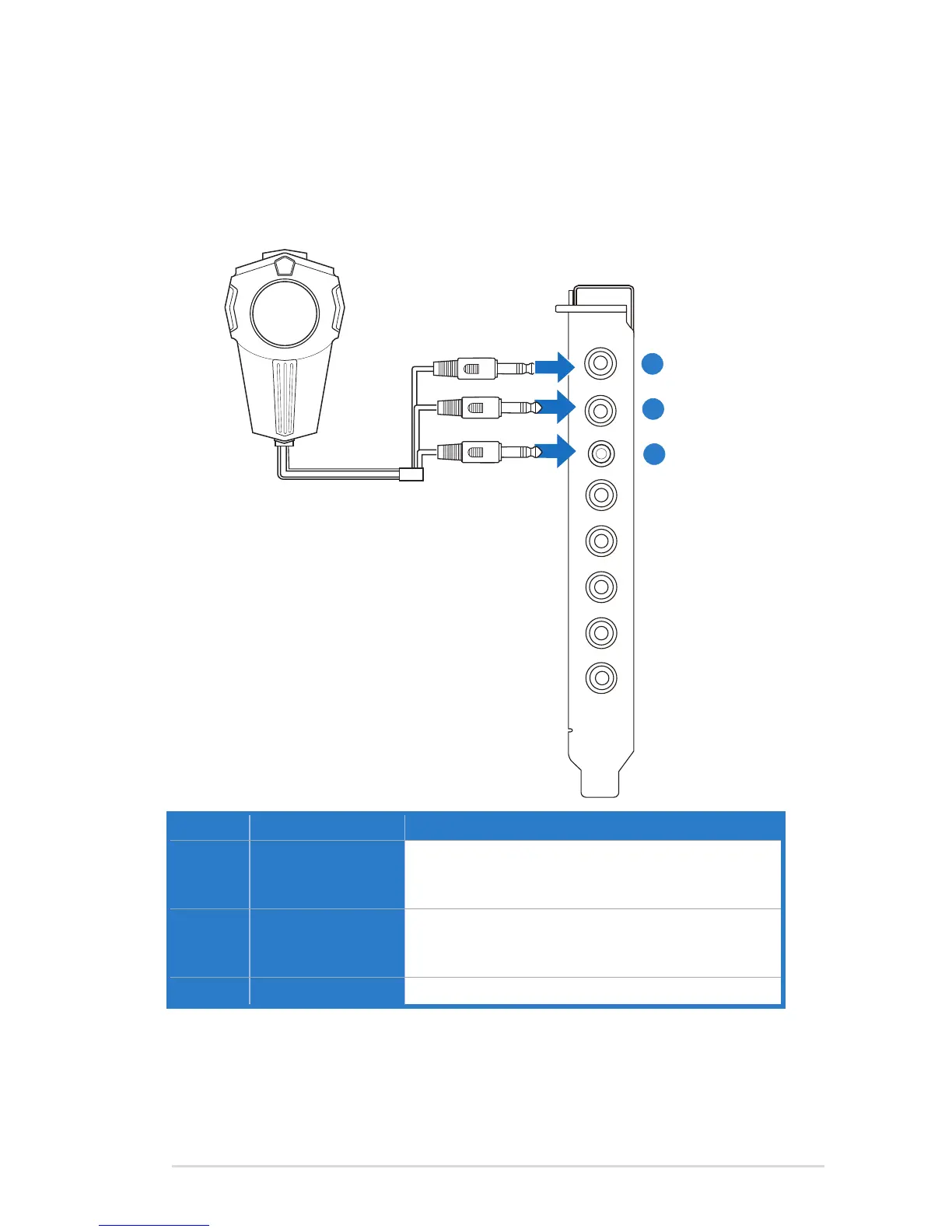
5.1.1 Connecting Phoebus Box
1
2
3
No Item Description
1 Microphone Input Port
Connectthemicrophone’s3.5mmplugfromthe
Phoebus Control Box into this Mic-In port for voice
communication, recording or karaoke.
2 Headphone Port
Theheadphoneporthasabuilt-inhigh-qualityamplier
to drive headphones. Connect the Phoebus Control
box directly to this port.
3 Box Link Port
Connect the Phoebus Control box directly to this port.


 To Next Page