31
ASUS Xonar Phoebus
6.2.6 Environment Effect
Function Introduction
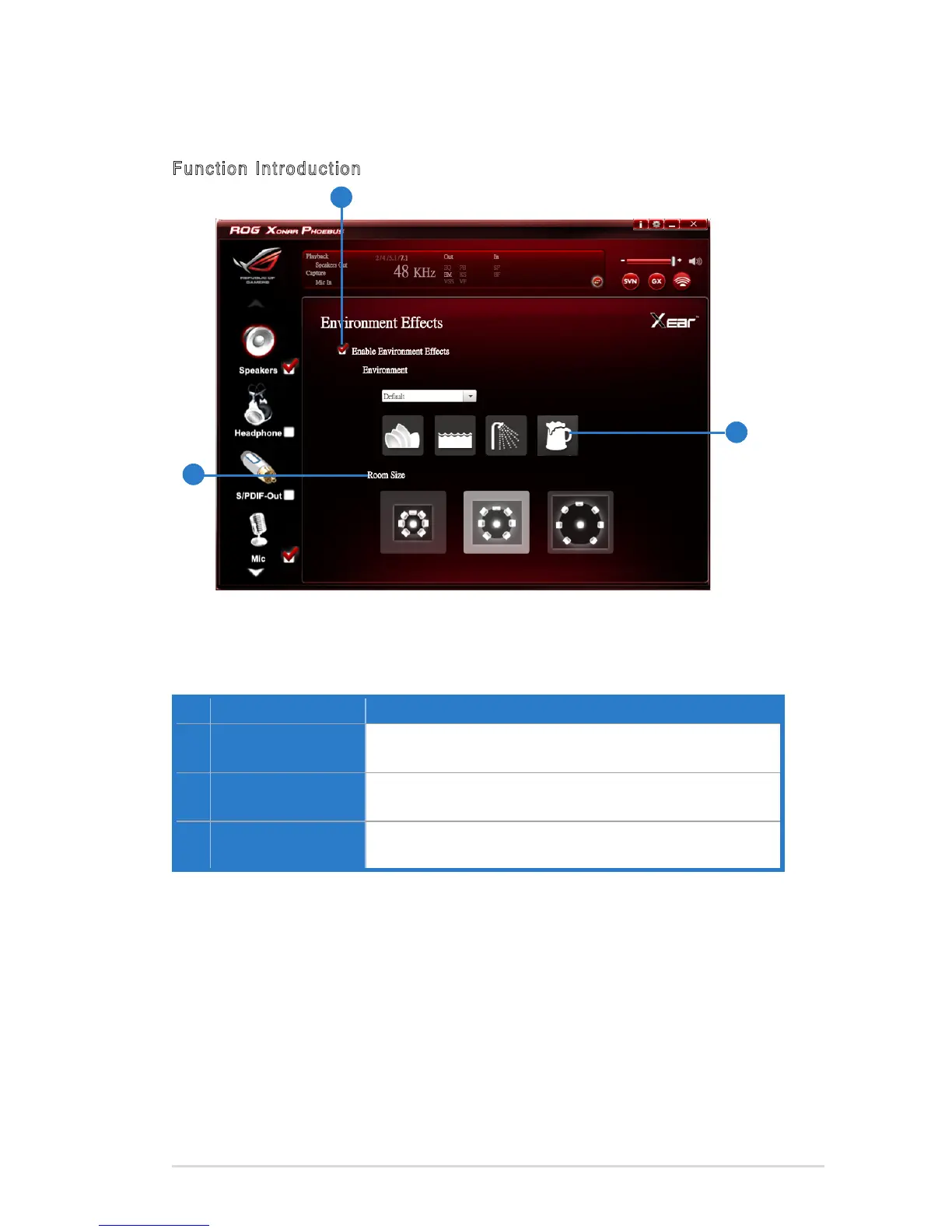
No Item Description
1 Environment Effect
enable/disable switch
Click on the check box to enable / disable Environment
Effect.
2 Environment Effect
mode
Click on an Environment Effect button or drop the dropdown
list to choose an Environment Effect.
3 Room Size
Change the Room Size icon to simulate a larger or smaller
space.
This function provides 28 special environment emulations for different sound
reectionsandrevweberation.
3
1
2



 To Next Page