30
ASUS Xonar Phoebus
6.2.5 Equalizer
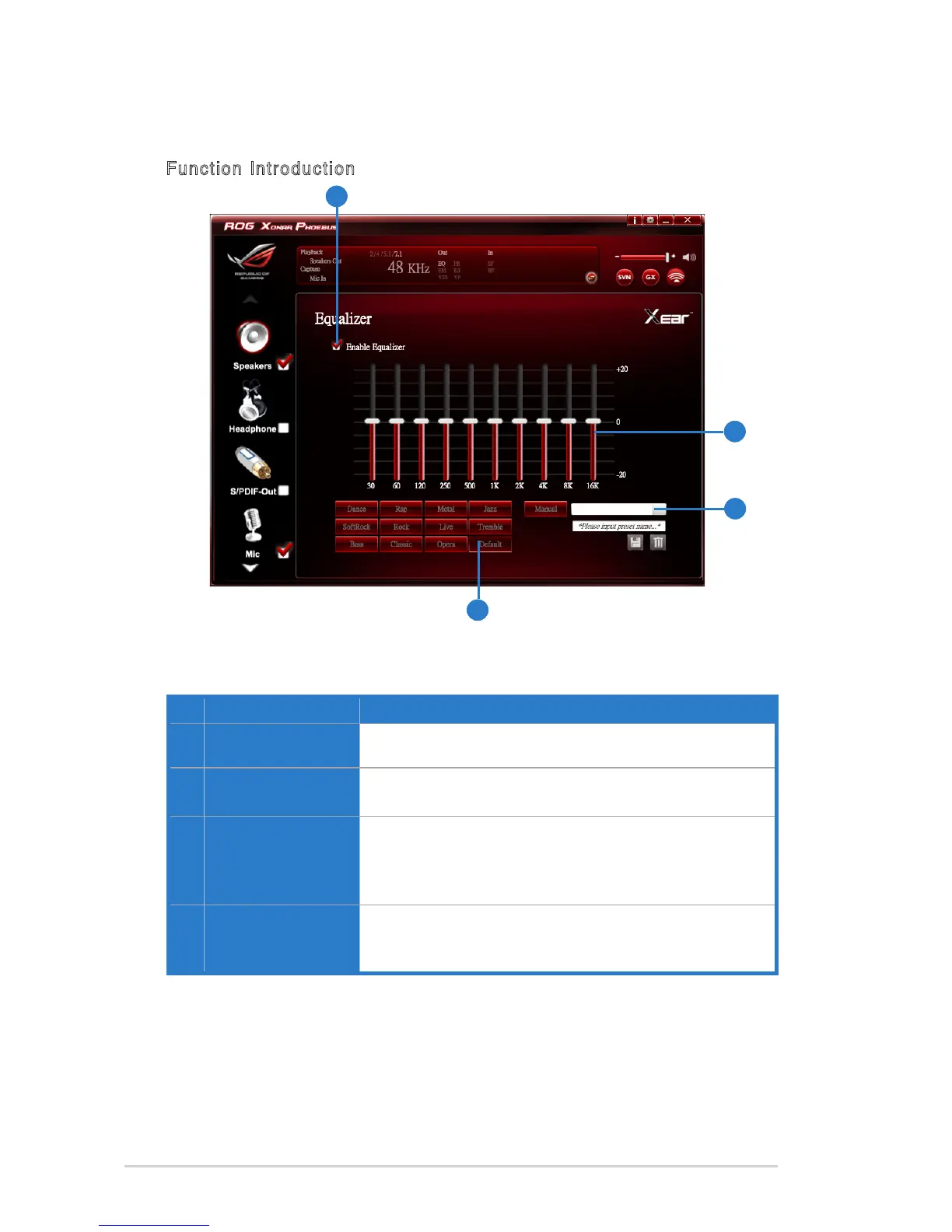
Function Introduction
No Item Description
1 EQ enable/disable
switch
Click to enable / disable EQ.
2 EQ band controller
Change the gain setting for each band (30/ 60/ 120/ 250/
500/ 1K/ 2K/ 4K/ 8K/ 16K).
3 Manual mode
Change the gain setting for each band, key in a name in the
inputeldandthenclicksave to add your new setting. New
setting will appear in the Manual Mode List. Click trash to
delete settings.
4 Preset mode
Select a preset mode for equalizer that is designed
accordingly. There are 12 preset modes such as Bass,
Treble, Live, Rock, Jazz, etc.
This 10-band EQ function allows you to adjust the EQ band manually and create
customized preset items or click to select a preset EQ mode.
1
4
2
3



 To Next Page