27
ASUS Xonar Phoebus
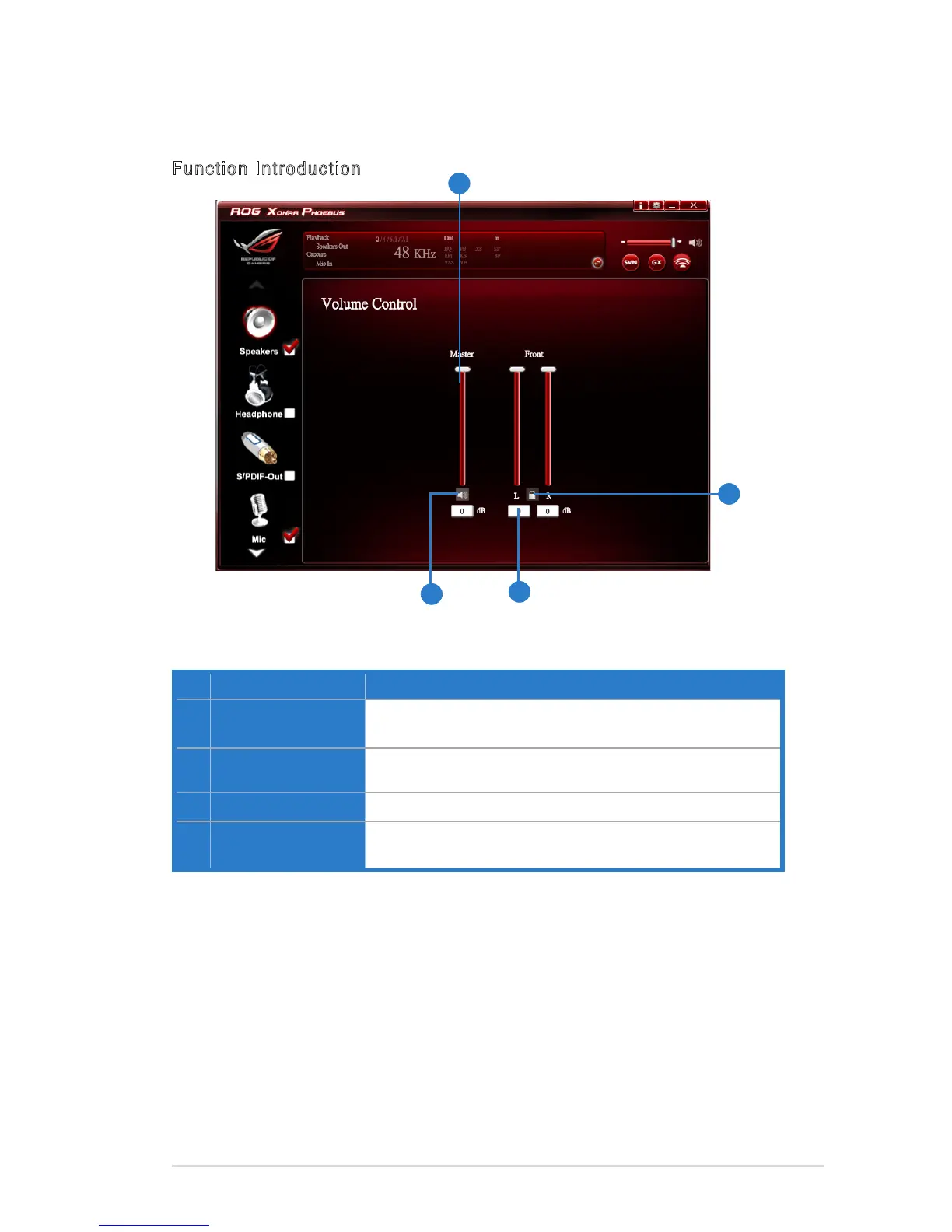
6.2.2 Volume Control
Function Introduction
No Item Description
1 Volume Control bar
Master – Adjust the volume level for all channels.
Front - Adjust the volume level for the front channel.
2 Left/ Right Channel
Lock
Click to lock the left / right channel to sync L/R channel.
3 Mute / Un-mute
Click to mute or ummute all channels.
4 dB Input Area
KeyinadBvalueinthiseldtosetthevolumelevel.
The function allows you to control the volume of the Speaker.
1
2
3
4



 To Next Page