6
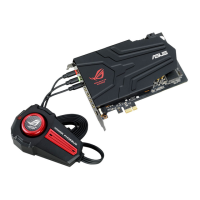
ASUS Xonar Phoebus
3. Installing the Xonar Hardware
3.1 Preparing Your Computer
Beforeyouproceedwiththefollowinginstallationsteps,it’srecommended
that you disable your onboard audio device in your BIOS settings, or uninstall
any other sound cards on your PC. (For BIOS setting or uninstallation of other
sound cards, refer to the user manuals of your motherboard and sound card)
1. Power OFF the computer, the monitor,
and all other peripheral devices
connected to your computer.
2. Unplug the computer power cord from
your computer and power outlet.
3. Touch the metal back or side panel of
the computer to avoid static electricity.
4. Remove the chassis cover.
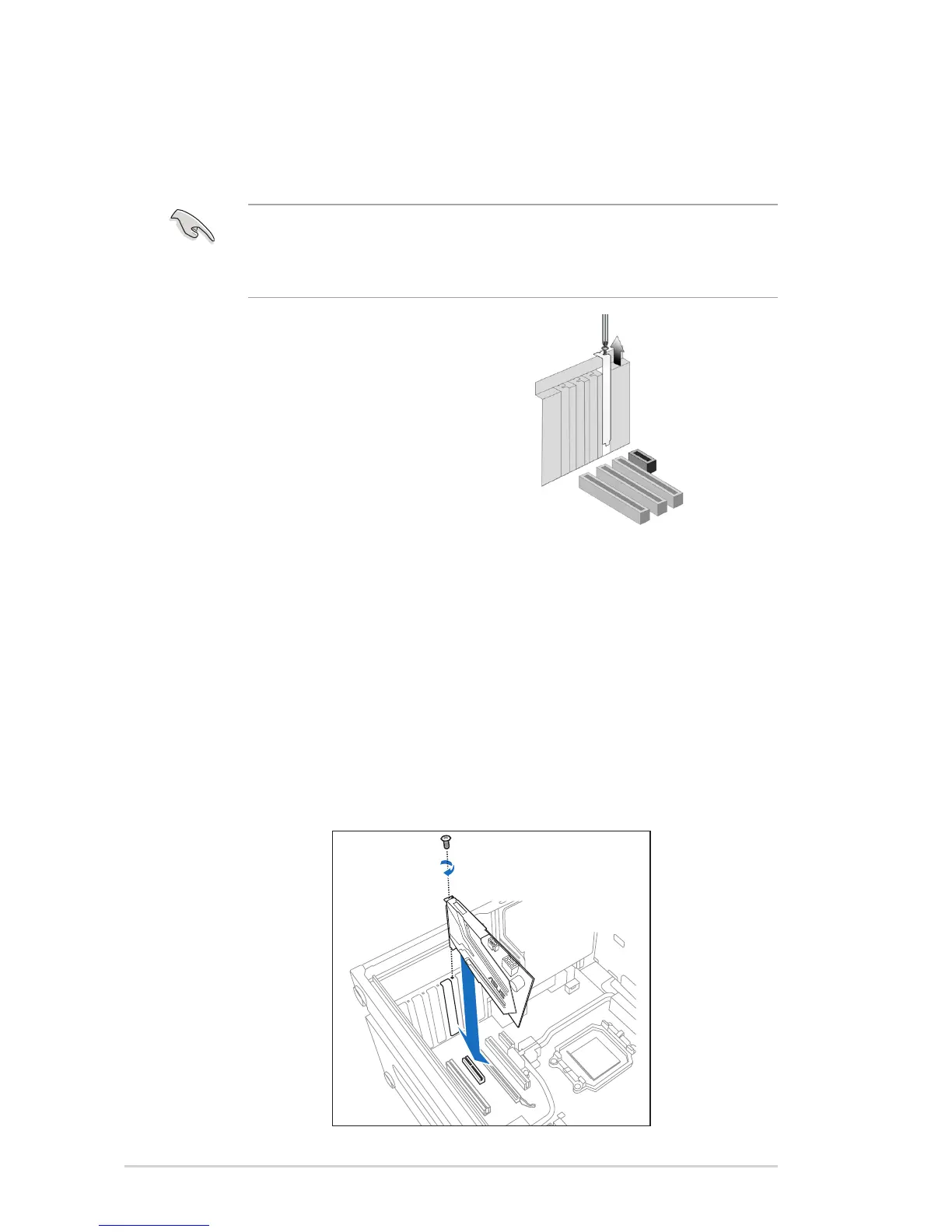
5. Remove the metal bracket from an
available PCIE slot for the Xonar Phoebus audio card.
3.2 Installing the Audio Processing Card
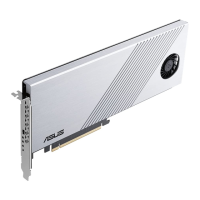
1. Face the bracket of the Xonar Phoebus audio card toward the back panel of
your computer and insert the audio card gently into an available PCI Express
slot.Makesureit’scompletelyinsertedintothePCIExpressslot.(Warning!
Do not force the audio card into the slot. Make sure that the gold pins of
thecard'sPCIExpressconnectorarealignedwiththemotherboard’sPCI
Express connector before you insert the card into the PCI Express slot. If it
doesnottproperly,gentlyremoveitandtryagain.)


 To Next Page