25
ASUS Xonar Phoebus
6.2 Speaker Function Introduction
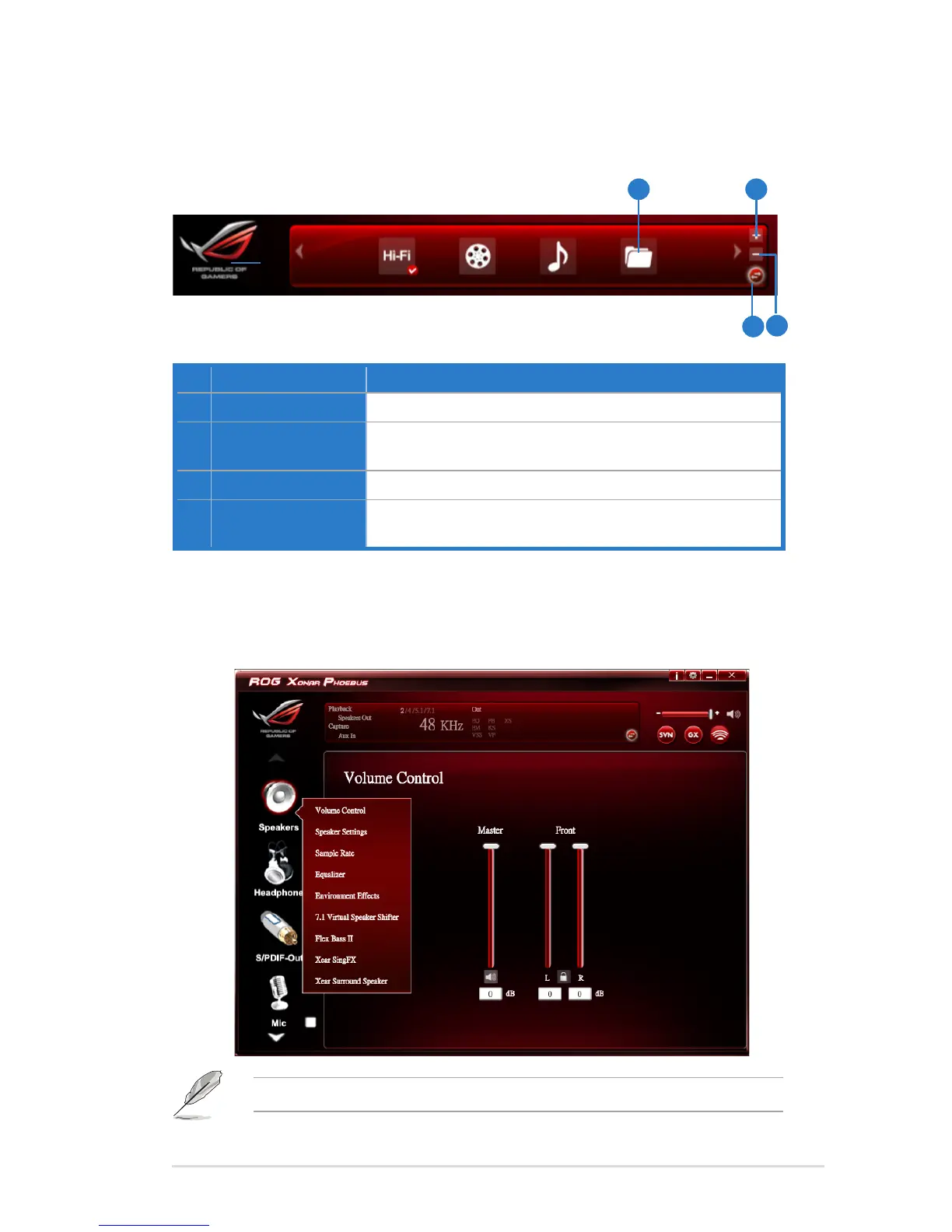
No Item Description
1 Prole Mode
Clicktoselectthepresetsinprolemode.
2 Add Prole
Adjustspecicsoundeffects(EQ,EMetc…)settingsand
click“+”tocreateauser-denedmode.
3 Delete Prole
Clicktodeleteauser-denedmode.
4 Switch Button
ClicktoswitchbetweentheProlepanelandAudioStatus
Panel.
6.1.3 Prole Panel
Thisprolepanelforsoundeffectcontailsapresetmodeandauser-denedmode.
1 2
3
4
Click the device icon on the right side to open the pop-up menu.



 To Next Page