57
ASUS Xonar Phoebus
6.5.4 Xear Magic Voice
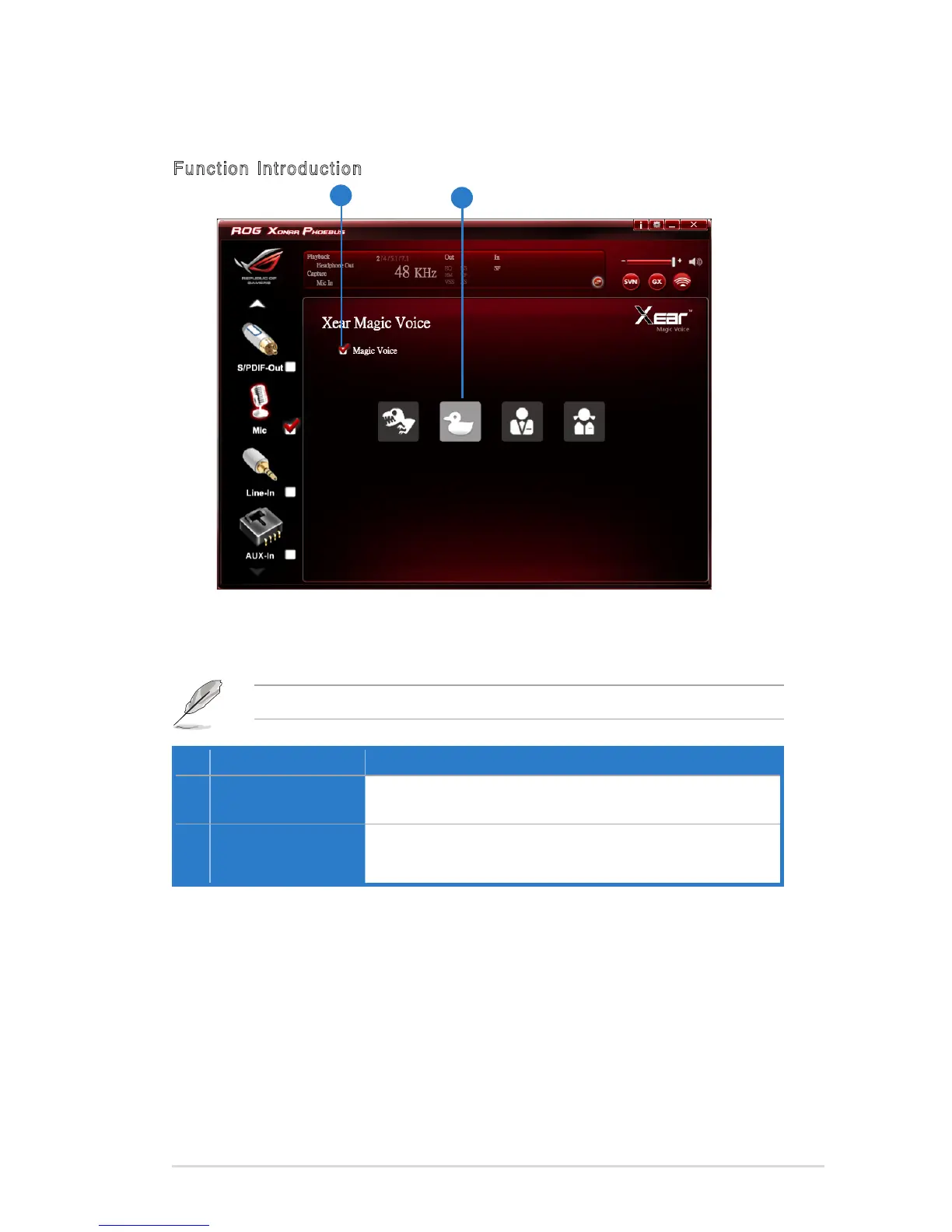
Function Introduction
No Item Description
1 Xear Magic Voice
Click this check box to enable / disable the Microphone
Magic Voice function.
2 Magic Voice mode
(Monster/Carton/Male/
Female)
Click to choose a magic voice mode.
While talking to your friends online (eg.Messenger, VOIP, online game
applications), use the “Magic Voice” effects to simulate funny voices.
Choose one type of voice only at one time.
1
2



 To Next Page