37
RT-N10UChapter 4: Network conguration using the web GUI
If the upgrade process fails, the wireless router automatically enters rescue mode and the power
LED indicator on the front panel starts ashing slowly. To recover or restore the system, use the
Firmware Restoration utility.
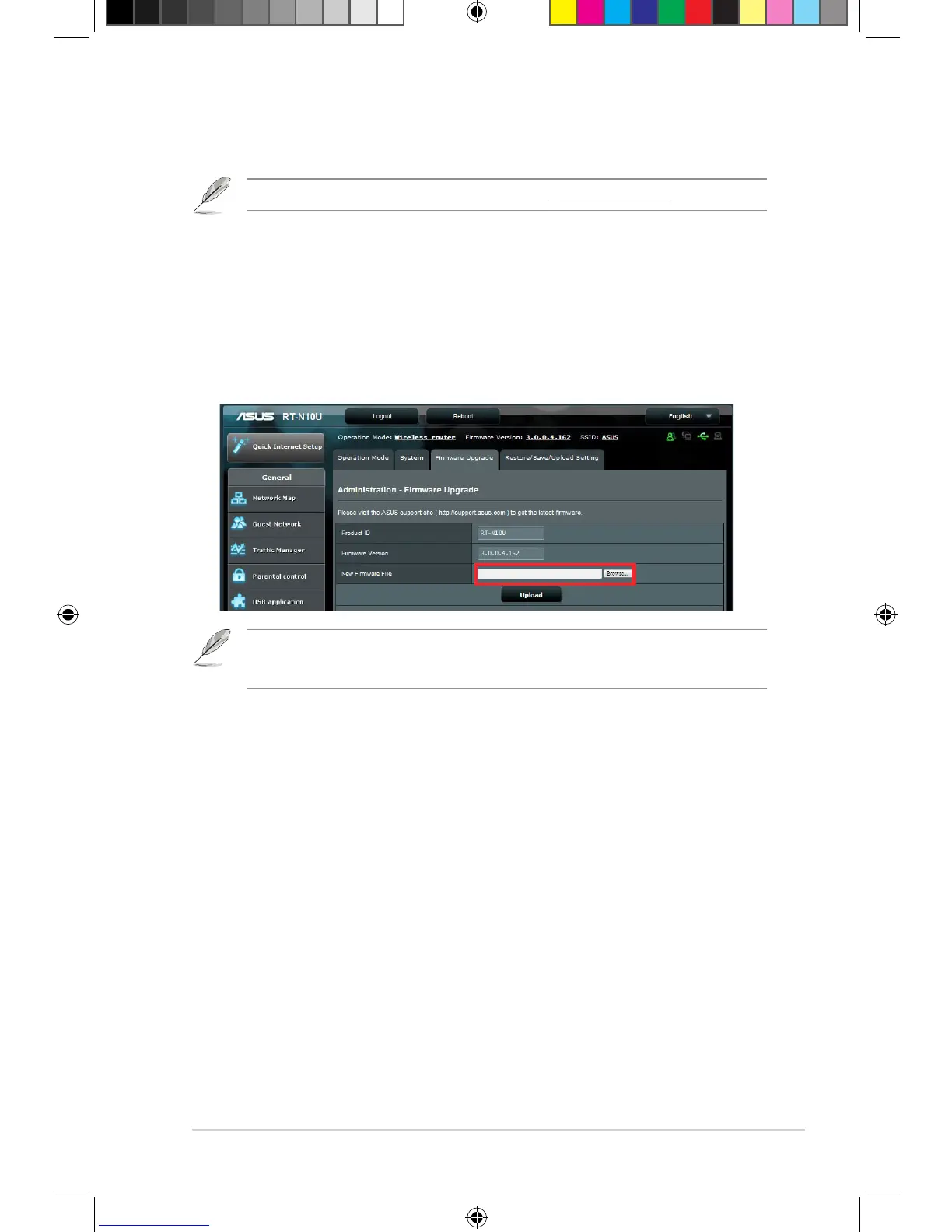
To upgrade the firmware:
1. Click Administration from the left navigation panel.
2. Click the Firmware Upgrade tab.
3. In the New Firmware File item, click Browse. Navigate to the downloaded
rmware le.
4. Click Upload.
Download the latest rmware from the ASUS website at http://www.asus.com
Upgrading the firmware


 To Next Page