13
RT-N10UChapter 2: Setting up your wireless network
2
Setting up your
wireless network
Setting up the wireless router
The ASUS Wireless Router includes a web graphical user interface (web GUI) that
allows you to congure the wireless router using your web browser.
For details on conguring your wireless router using the web GUI, refer to Chapter 4: Network
conguration using the web GUI.
Using the Quick Internet Setup (QIS)
Using QIS with auto-detection
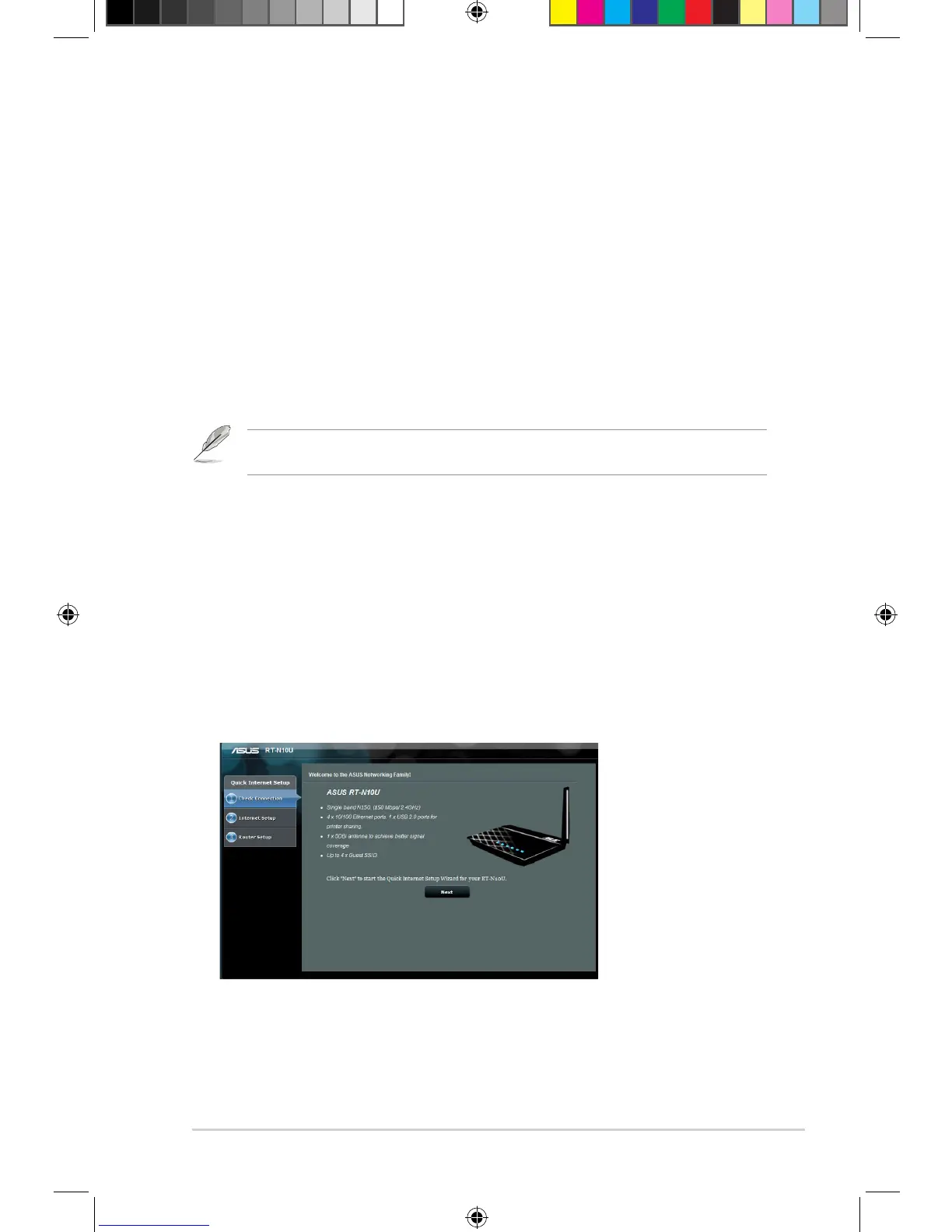
The Quick Internet Setup (QIS) feature guides you in quickly setting up your
Internet connection.
To use QIS with auto-detection:
1. Launch a web browser such as Internet Explorer, Mozilla Firefox, Safari, or
Google Chrome. Manually key in the wireless router’s default IP address:
http://192.168.1.1


 To Next Page