44
RT-N10U Chapter 4: Network conguration using the web GUI
Using the FTP Share service
Your ASUS wireless router can set up the connected USB storage device as an
FTP server.
To set up the FTP Share service:
1. Congure le sharing using the steps in Using AiDisk for File Sharing.
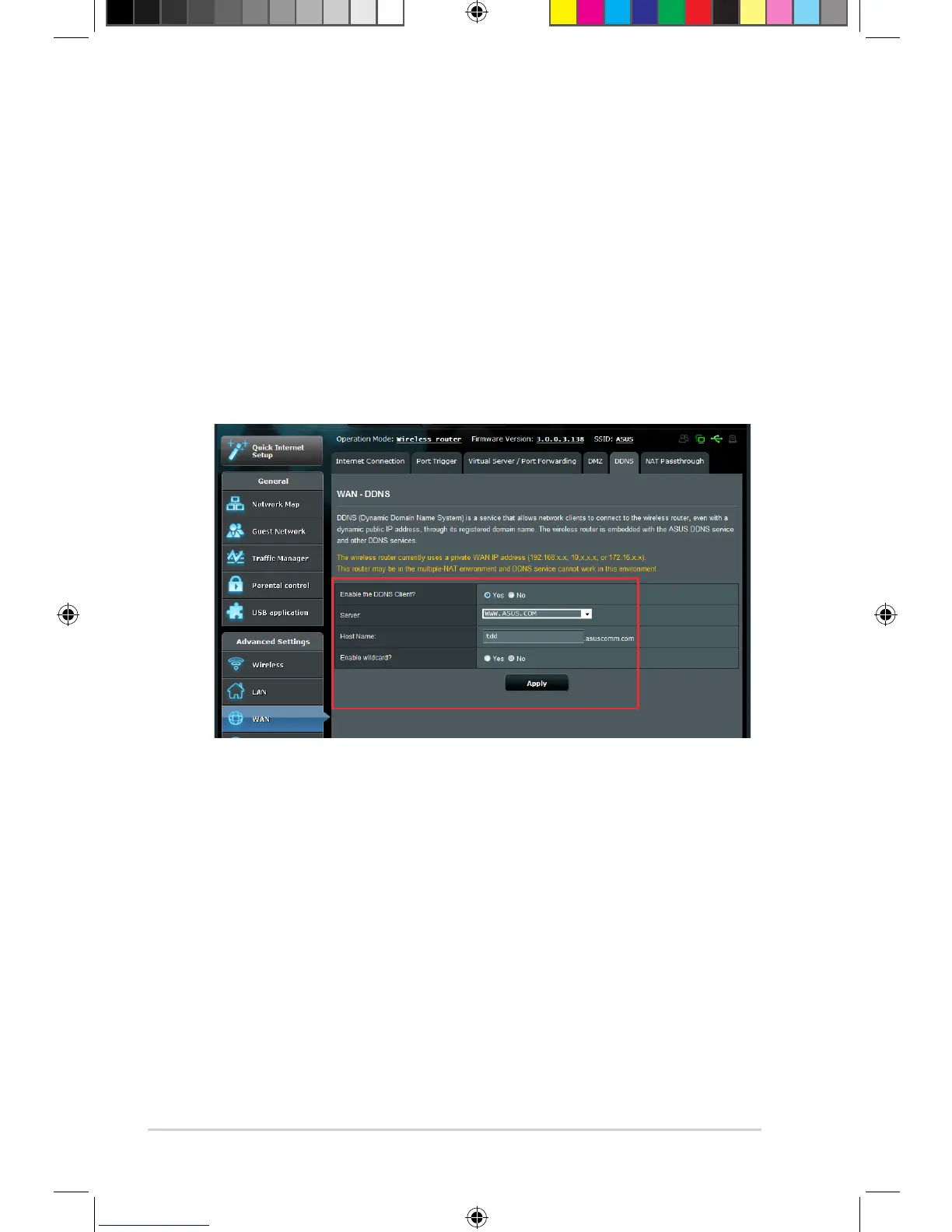
2. Enable the DDNS service for FTP server access:
a. Click WAN on the left navigation panel, then click the DDNS tab.
b. In the Enable the DDNS Client? eld, tick Yes.
c. Select your DDNS Server from the list.
d. Key in your Host Name.
e. Click Apply.



 To Next Page