14
NOTES:
• For details on connecting to a wireless network, refer to the
WLAN adapter’s user manual.
• To set up the security settings for your network, refer to the
section Setting up the wireless security settings in this
user manual.
Before you proceed
A. Disable the proxy server, if enabled.
Windows
®
7
1. Click Start > Internet Explorer to
launch the browser.
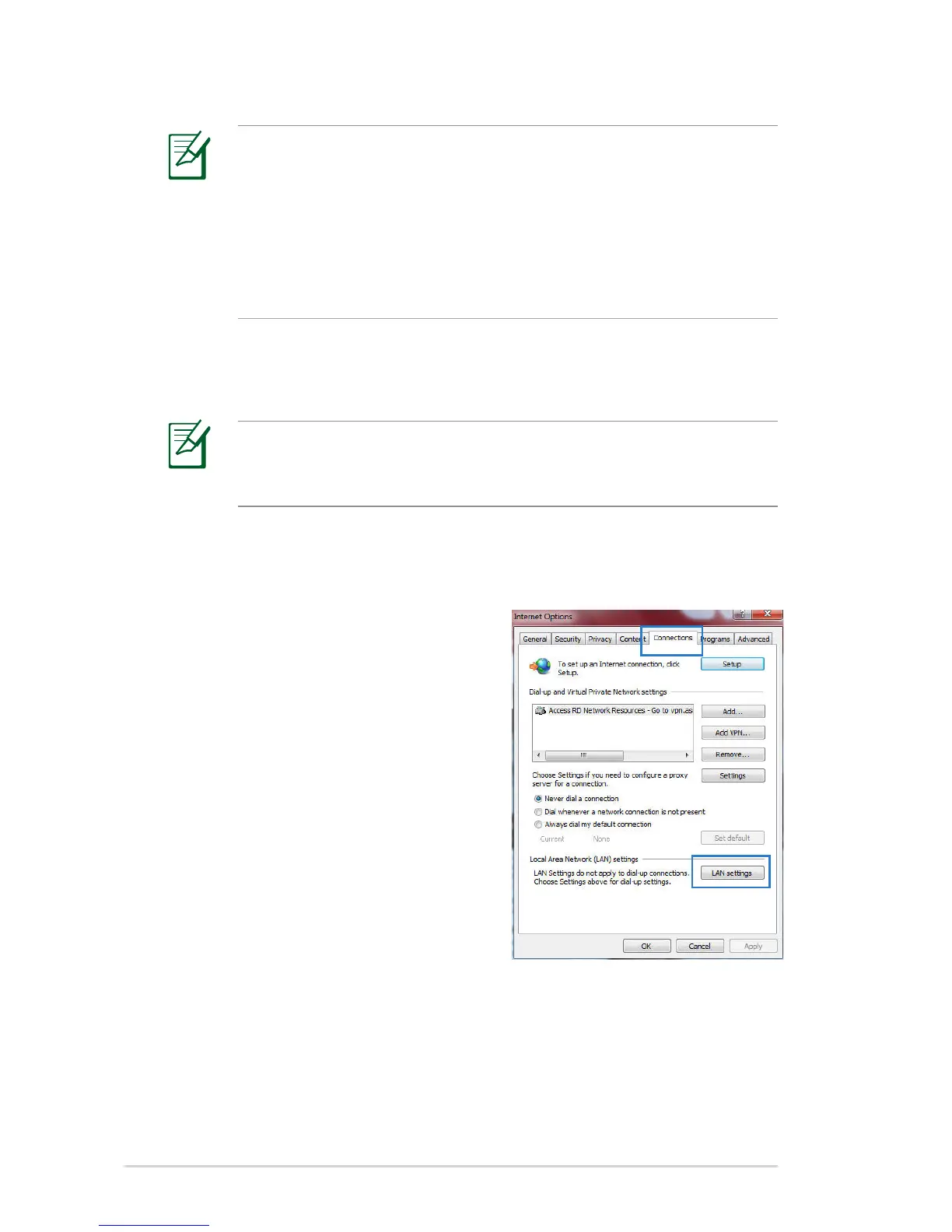
2. Click Tools > Internet options >
Connections tab > LAN settings.
NOTE: Before conguring your wireless router, do the steps
described in this section for your host computer and network
clients.


 To Next Page