8
Mounting options
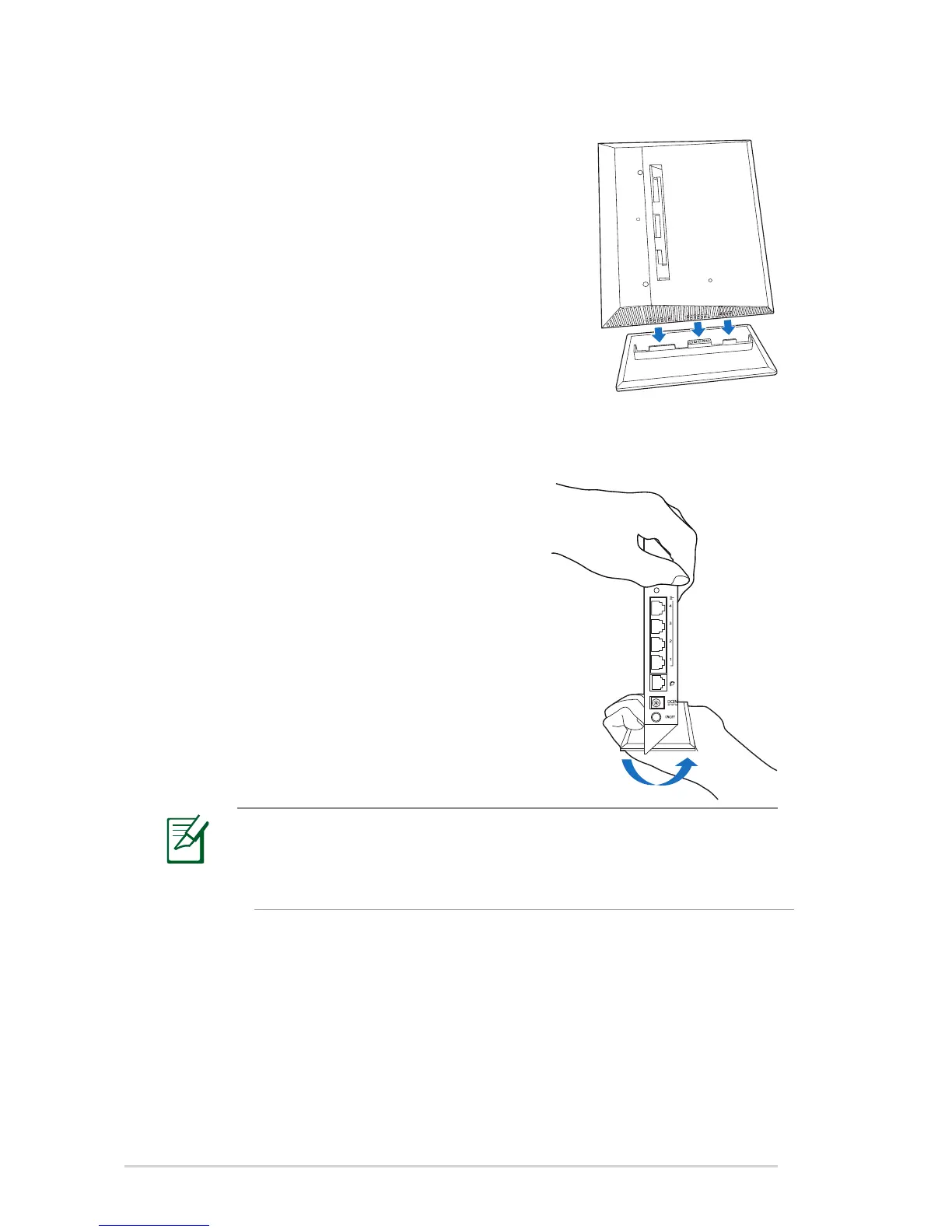
Mounting to the stand
To mount the wireless router into its stand:
1. Locate the mounting holes at the bottom
of the wireless router.
2. Align and insert the stand’s mounting
hooks to the wireless router’s mounting
holes.
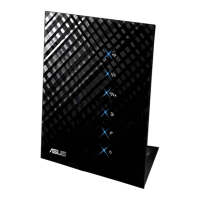
Dismount from the stand
1. Hold the wireless router with one hand
on the upside and the other hand
under the stand, ensuring that the I/O
ports facing you.
2. Follow the direction of the arrow
shown below to apply force and
remove the stand.
NOTE:
It's normal if you hear squeaking while dismounting the RT-N53
from the stand.


 To Next Page