18
3 Conguring via the web GUI
Logging into the web GUI
Your ASUS Wireless Router comes with an intuitive web graphics
user interface (GUI) that allows you to easily congure its various
features through a web browser such as Internet Explorer, Firefox,
Safari, or Google Chrome.
To log into the web GUI:
1. On your web browser such as Internet Explorer, Firefox, Safari,
or Google Chrome, manually key in the wireless router’s default
IP address: 192.168.1.1
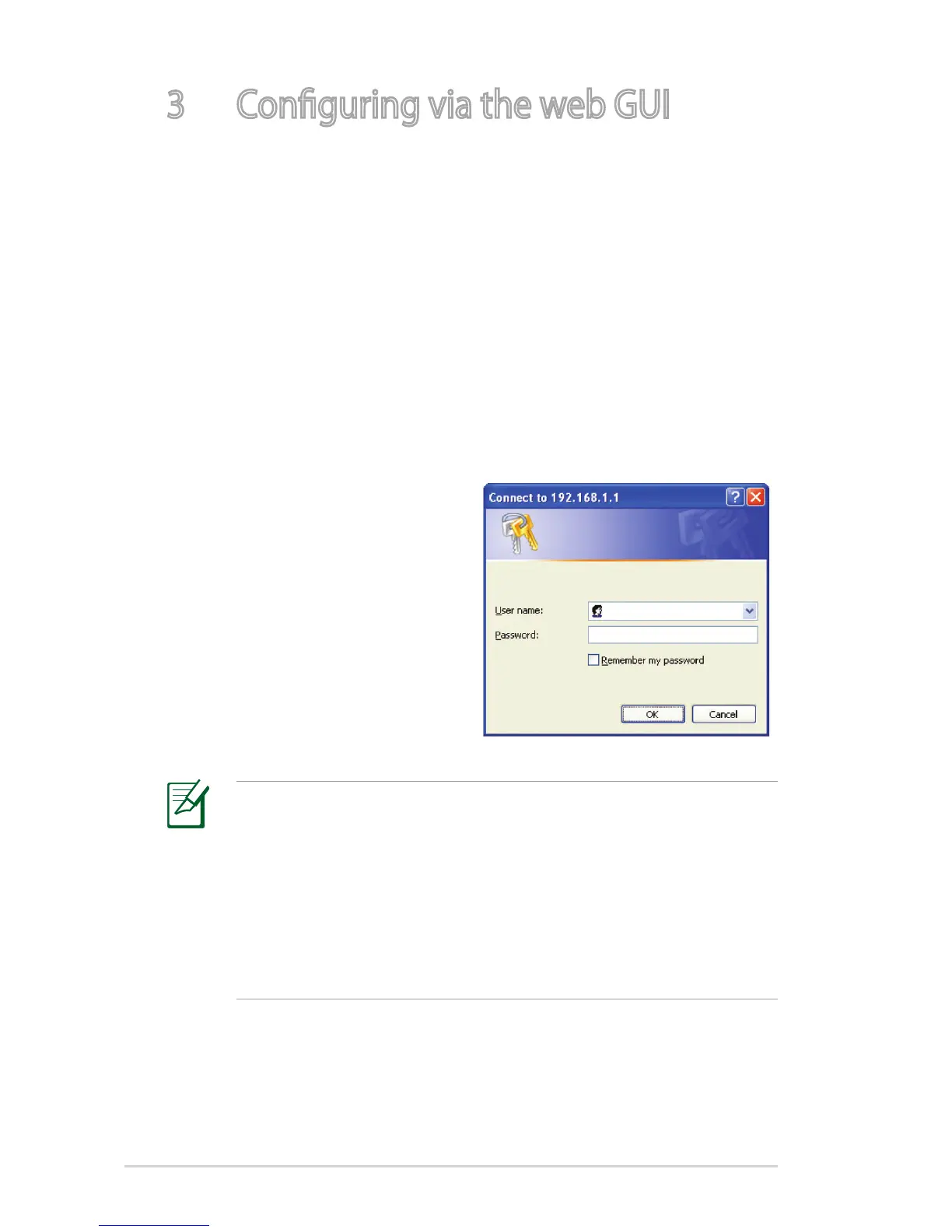
2. On the login page, key in the
default user name (admin)
and password (admin).
NOTES:
• For your network clients, ensure that you set the TCP/IP
settings to obtain IP addresses automatically, disable the
proxy server settings, disable the dial-up settings, and cancel
the dial-up connection.
• For more details, refer to the section Before you proceed
in this user manual.


 To Next Page