9
Mounting on the wall
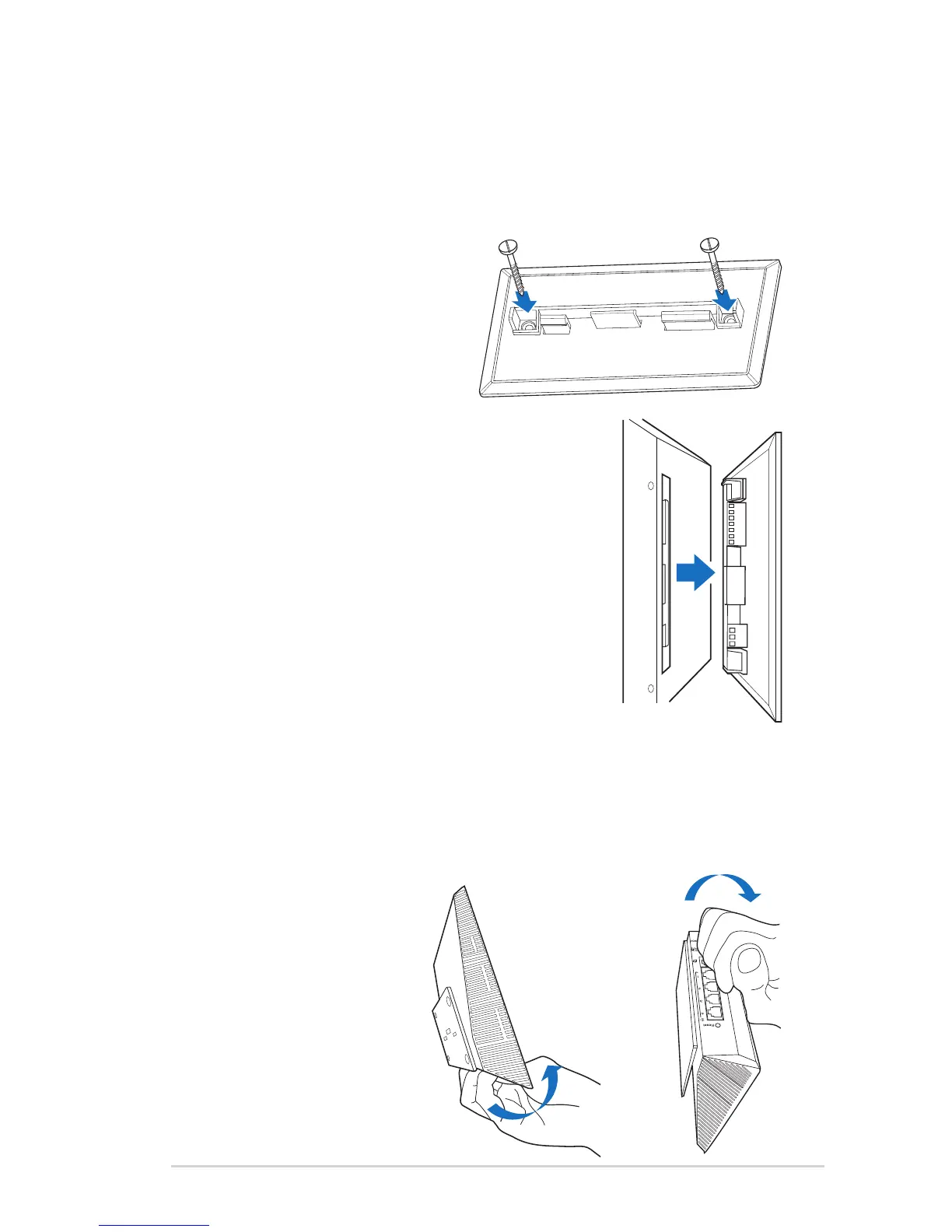
To mount the wireless router on the wall:
1. Locate the two holes on the
stand and secure the stand to
the wall with screws.
2. Locate the mounting holes at the back of
the wireless router.
3. Align and insert the stand’s mounting hooks
to the wireless router’s mounting holes.
Dismount from the wall
1. Hold the edge of the front cover (near the I/O ports).
2. Follow the direction of the arrow shown below to apply force
and dismount the RT-N53.
or


 To Next Page