30
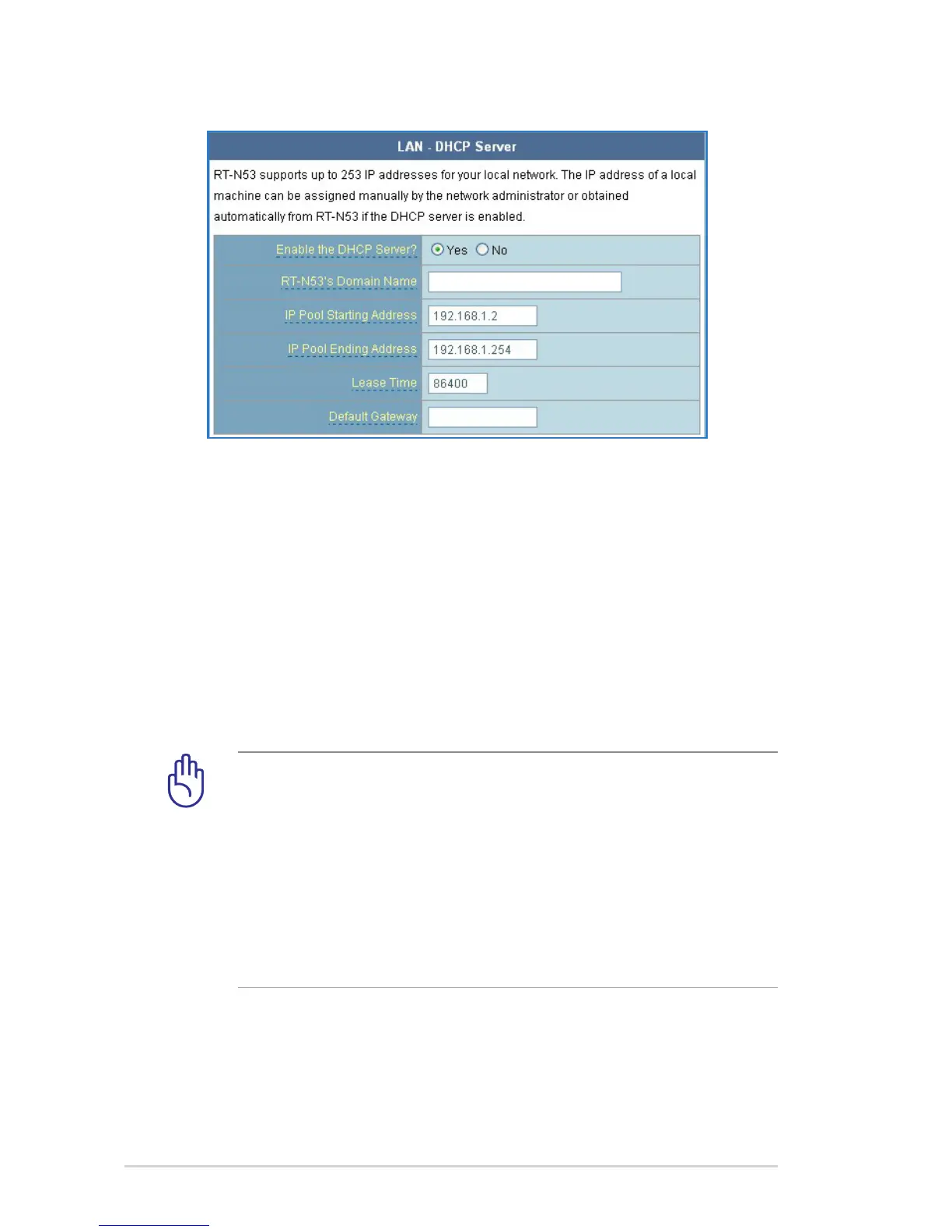
3. In the Enable the DHCP Server? eld, tick Yes.
4. In the IP Pool Starting Address eld, key in the starting IP
address.
5. In the IP Pool Ending Address eld, key in the ending IP
address.
6. In the Lease Time eld, key in the time that the IP addresses
expire and the wireless router automatically assigns new IP
Addresses for the network clients.
IMPORTANT!
• For the IP Pool Starting and Ending IP addresses, we
recommend that you use:
• IP address: 192.168.1.xxx (xxx can be any number
between 2 and 254)
• IP Pool Starting Address should not be greater than the IP
Pool Ending Address.


 To Next Page