106
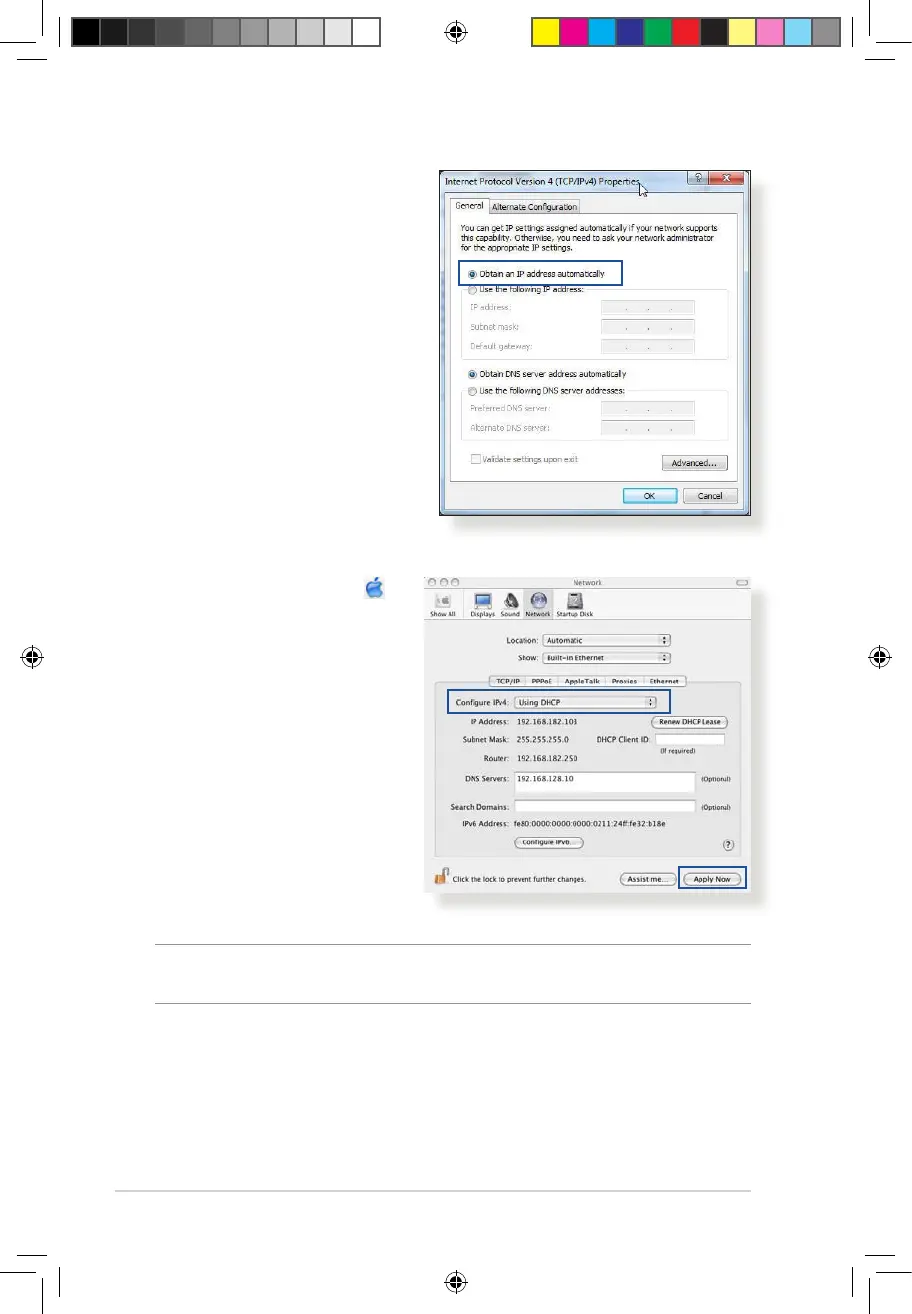
3. To obtain the IPv4 IP
settings automatically,
tick Obtain an IP address
automatically.
To obtain the IPv6 IP
settings automatically, tick
Obtain an IPv6 address
automatically.
4. Click OK when done.
MAC OS
1. Click the Apple icon
located on the top left of
your screen.
2. Click System
Preferences > Network
> Congure...
3. From the TCP/IP tab,
select Using DHCP in
the Congure IPv4
dropdown list.
4. Click Apply Now when
done.
NOTE: Refer to your operating system’s help and support feature for
details on conguring your computer’s TCP/IP settings.
E10170_RT-AC1200_Guide.indd 106 2015/4/29 15:48:37


 To Next Page