61
4.3 WAN
4.3.1 Internet Connection
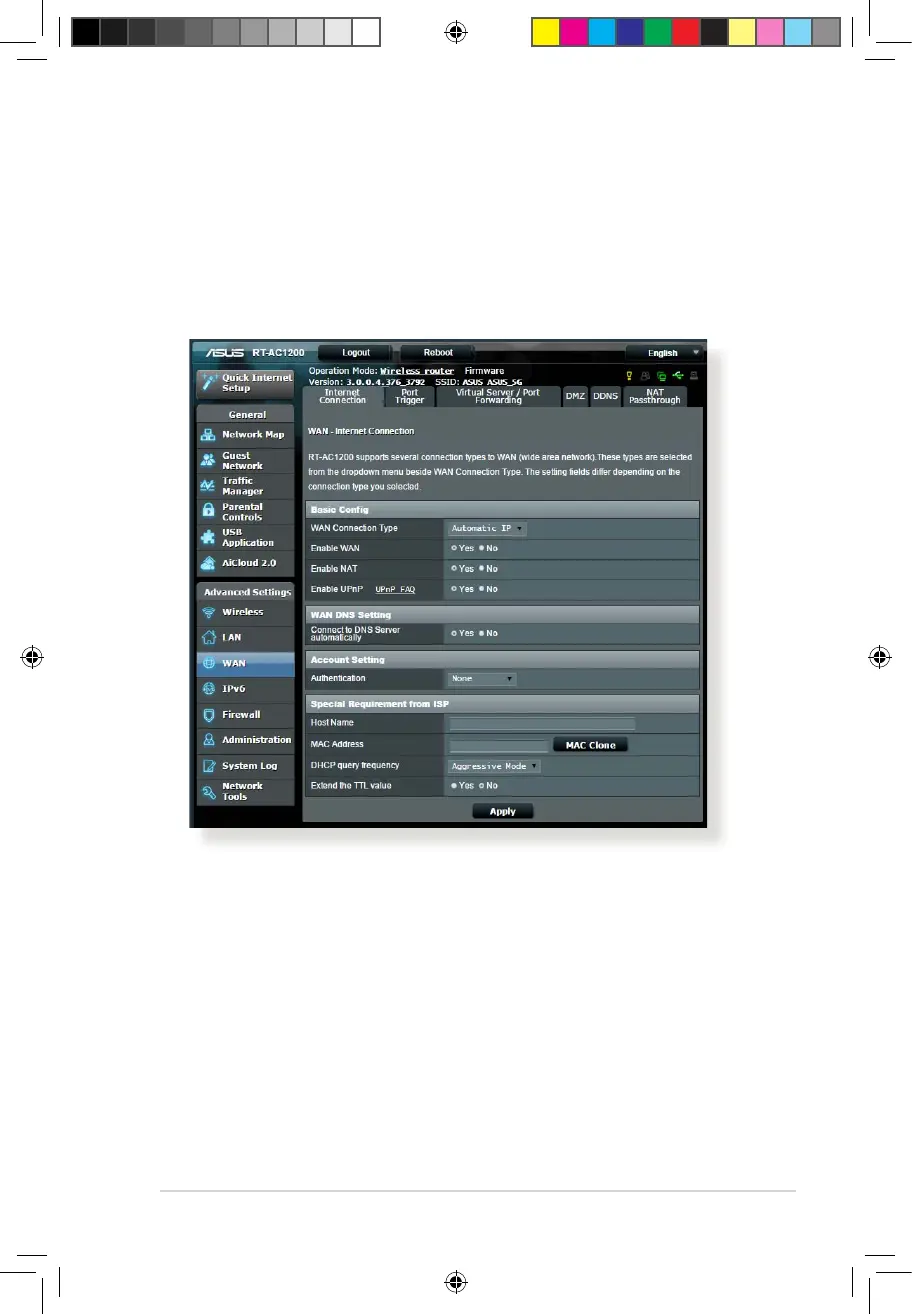
The Internet Connection screen allows you to congure the
settings of various WAN connection types.
To congure the WAN connection settings:
1. From the navigation panel, go to Advanced Settings > WAN >
Internet Connection tab.
2. Congure the following settings below. When done, click
Apply.
•
WAN Connection Type: Choose your Internet Service
Provider type. The choices are Automatic IP, PPPoE, PPTP,
L2TP or xed IP. Consult your ISP if the router is unable
to obtain a valid IP address or if you are unsure the WAN
connection type.
E10170_RT-AC1200_Guide.indd 61 2015/4/29 15:48:32


 To Next Page