98
6.2 Frequently Asked Questions (FAQs)
I cannot access the router GUI using a web browser
• Ifyourcomputeriswired,checktheEthernetcableconnection
and LED status as described in the previous section.
• Ensurethatyouareusingthecorrectlogininformation.The
default factory login name and password is “admin/admin”.
Ensure that the Caps Lock key is disabled when you enter the
login information.
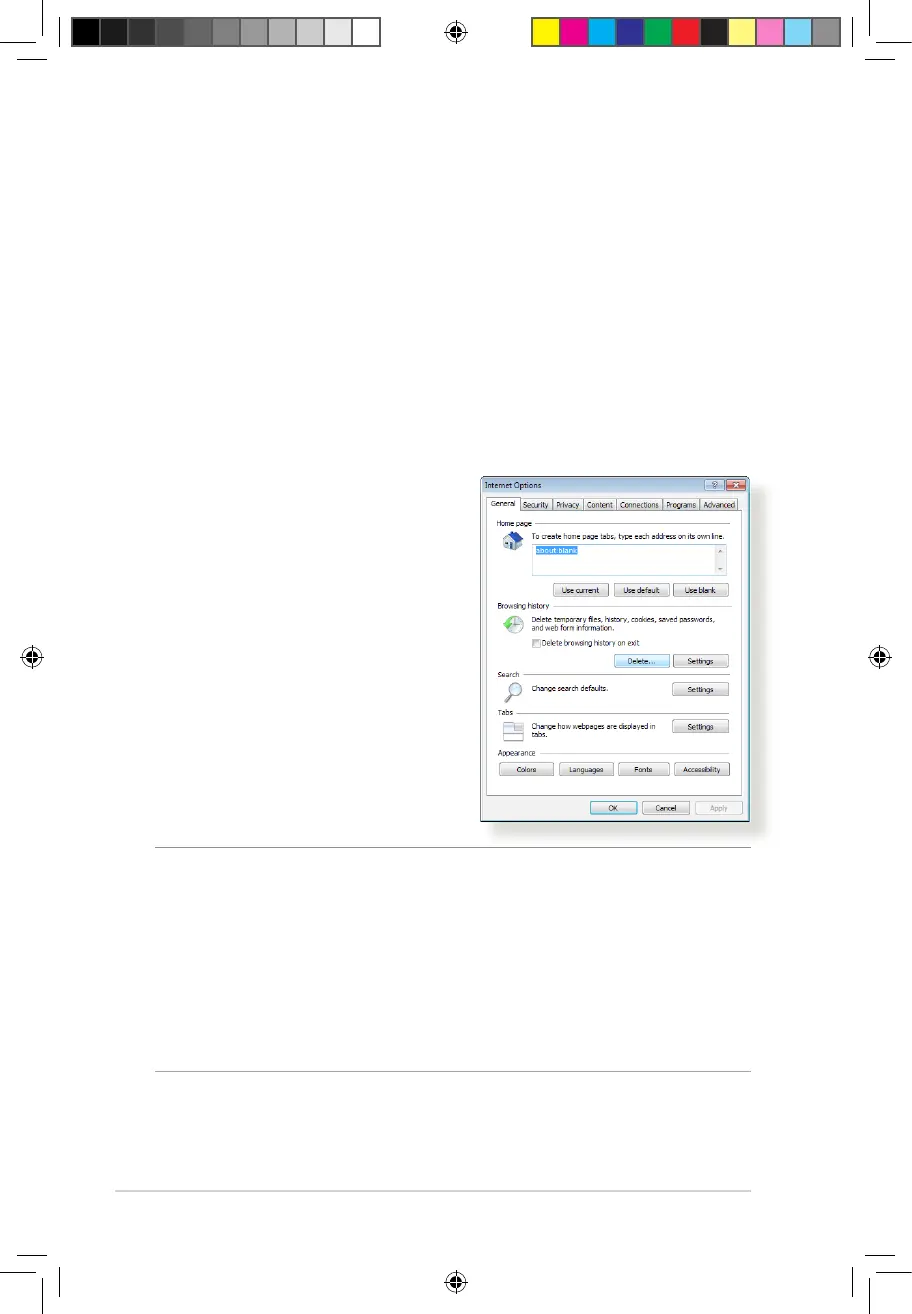
• Deletethecookiesandlesinyourwebbrowser.ForInternet
Explorer 8, follow these steps:
1. Launch Internet Explorer 8,
then click Tools > Internet
Options.
2. In the General tab, under
Browsing history, click
Delete…, select Temporary
Internet Files and Cookies
then click Delete.
NOTES:
• Thecommandsfordeletingcookiesandlesvarywithweb
browsers.
• Disableproxyserversettings,cancelthedial-upconnection,
and set the TCP/IP settings to obtain IP addresses automatically.
For more details, refer to Chapter 1 of this user manual.
• EnsurethatyouuseCAT5eorCAT6ethernetcables.
E10170_RT-AC1200_Guide.indd 98 2015/4/29 15:48:36


 To Next Page