11
1.6 Router Setup
IMPORTANT!
• Useawiredconnectionwhensettingupyourwirelessrouterto
avoid possible setup problems.
• BeforesettingupyourASUSwirelessrouter,dothefollowing:
• Ifyouarereplacinganexistingrouter,disconnectitfromyour
network.
• Disconnectthecables/wiresfromyourexistingmodemsetup.If
your modem has a backup battery, remove it as well.
• Rebootyourcablemodemandcomputer(recommended).
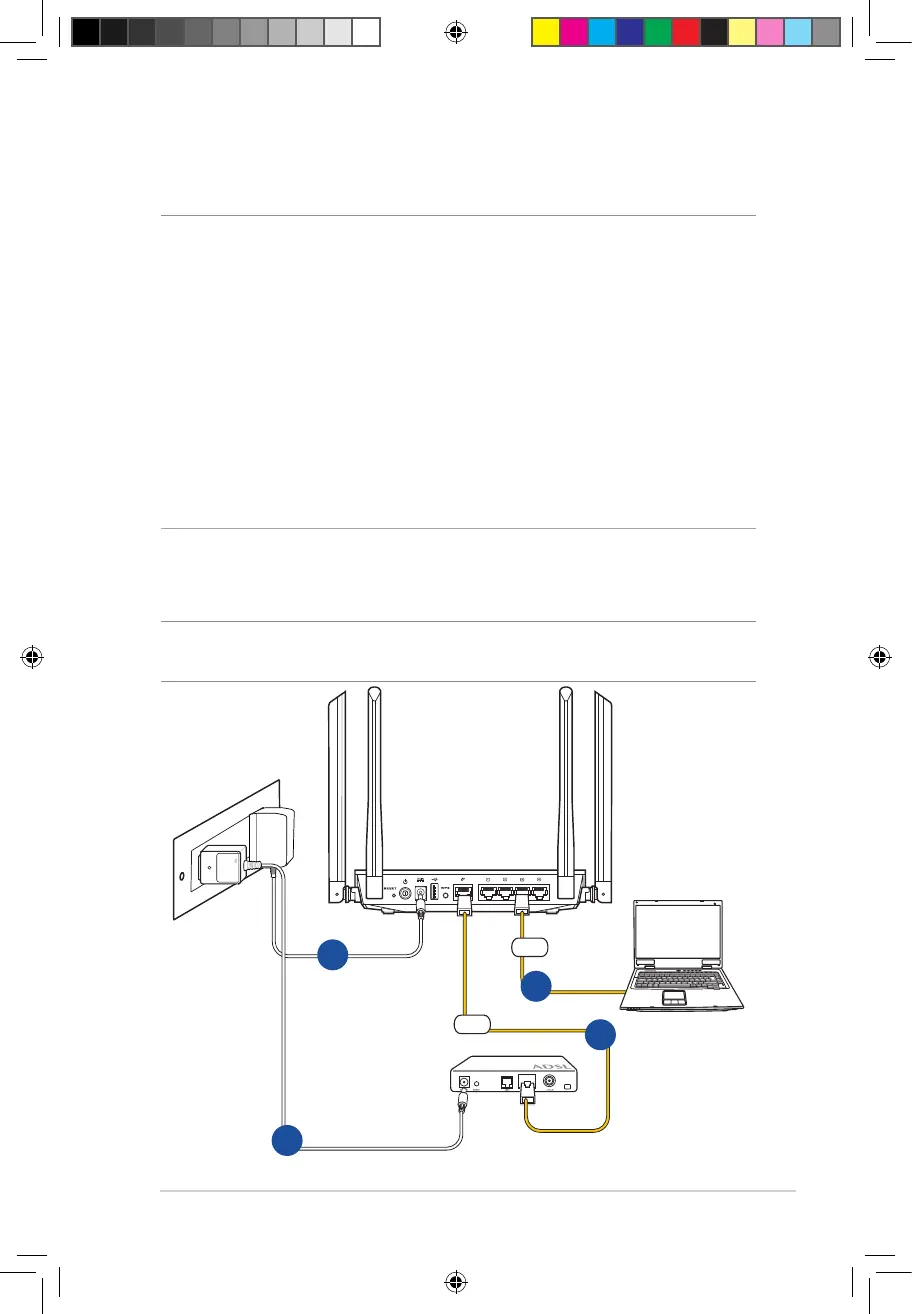
1.6.1 Wired connection
NOTE: You can use either a straight-through cable or a crossover cable
for wired connection.
RT-AC1200
Modem
3
1
4
2
WAN
LAN
E10170_RT-AC1200_Guide.indd 11 2015/4/29 15:48:26


 To Next Page