80
4.7 System Log
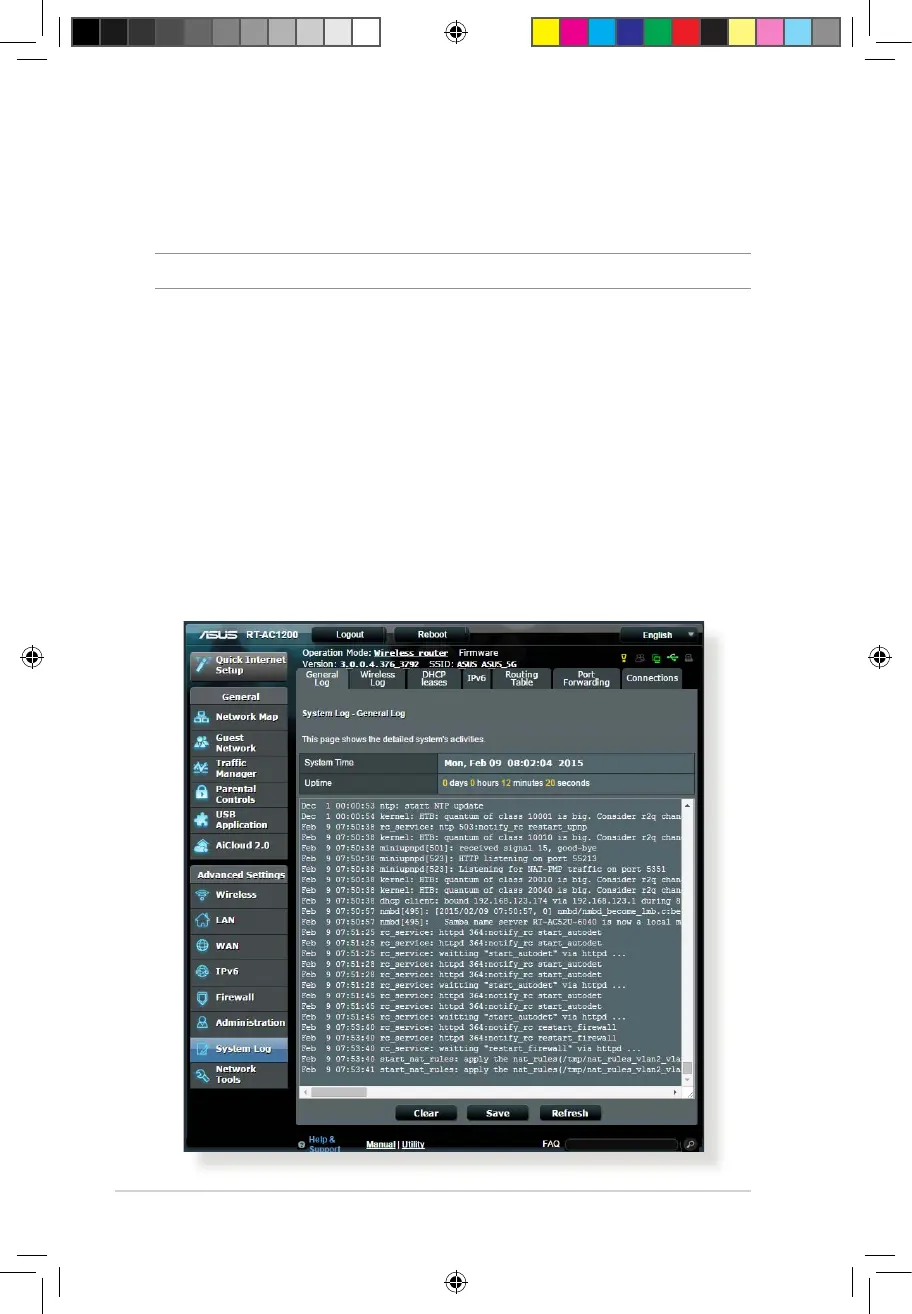
System Log contains your recorded network activities.
NOTE: System log resets when the router is rebooted or powered o.
To view your system log:
1. From the navigation panel, go to Advanced Settings > System
Log.
2. You can view your network activities in any of these tabs:
• GeneralLog
• DHCPLeases
• WirelessLog
• PortForwarding
• RoutingTable
E10170_RT-AC1200_Guide.indd 80 2015/4/29 15:48:33


 To Next Page