92
5.4 Download Master
Download Master is a utility that helps you download les even
while your laptops or other devices are switched o.
NOTE: You need a USB device connected to the wireless router to use
Download Master.
To use Download Master:
1. Click General > USB application > Download Master to
download and install the utility automatically.
NOTE: If you have more than one USB drive, select the USB device you
want to download the les to.
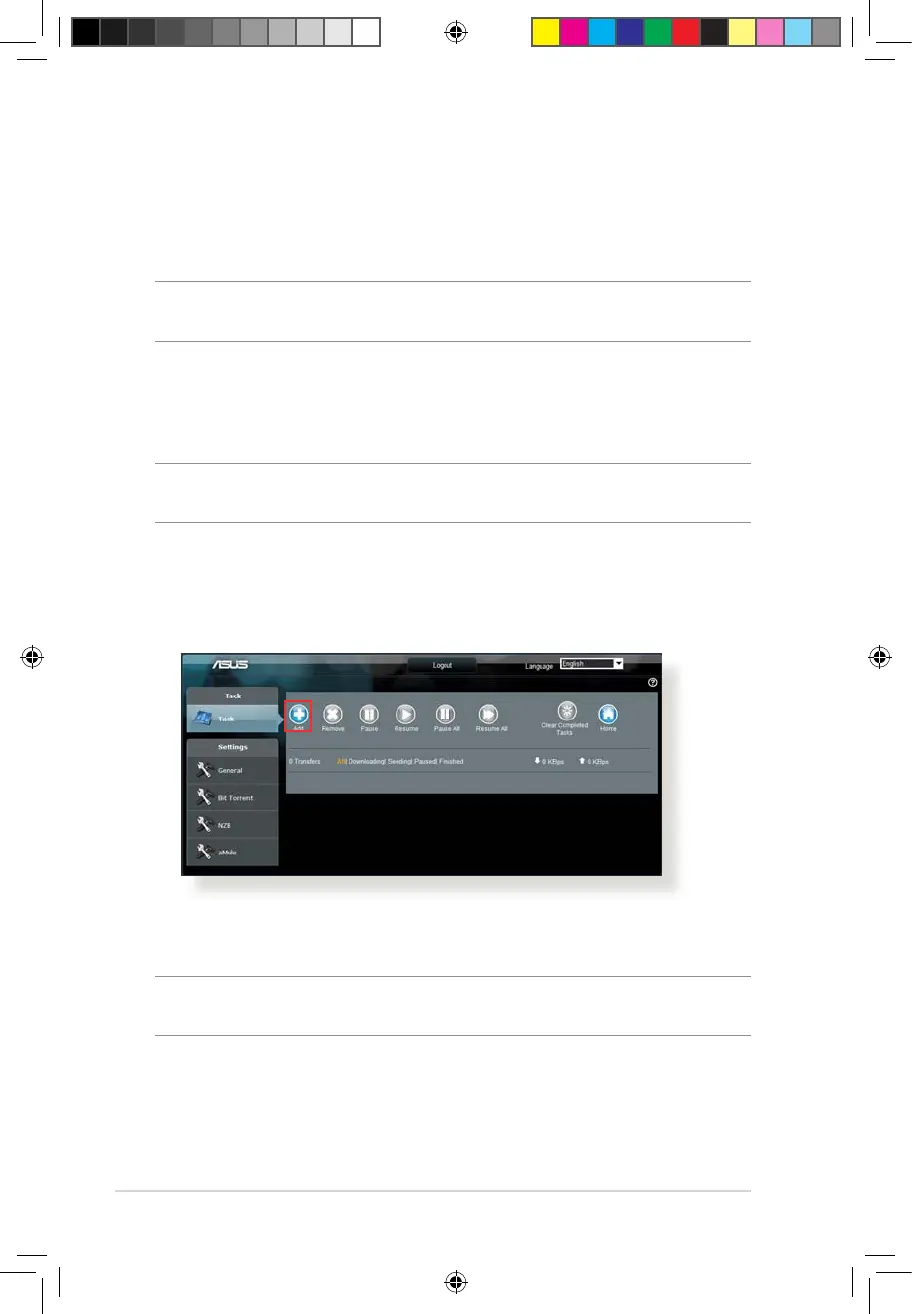
2. After the download process is nished, click the Download
Master icon to start using the utility.
3. Click Add to add a download task.
4. Select a download type such as BitTorrent, HTTP, or FTP. Provide
a torrent le or a URL to begin downloading.
NOTE: For details on Bit Torrent, refer to section 5.4.1 Conguring the
Bit Torrent download settings.
E10170_RT-AC1200_Guide.indd 92 2015/4/29 15:48:35


 To Next Page