70
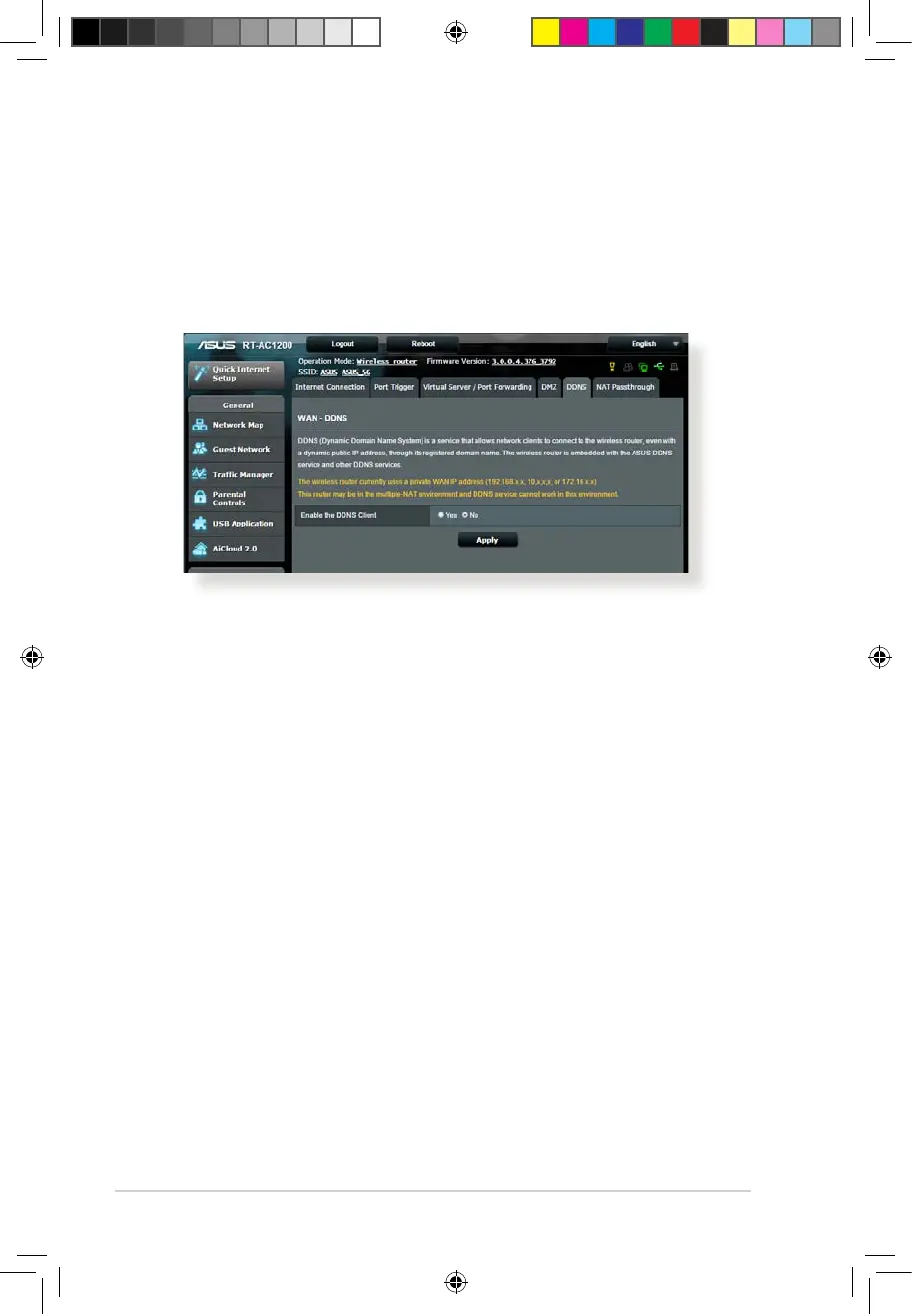
4.3.5 DDNS
Setting up DDNS (Dynamic DNS) allows you to access the router
from outside your network through the provided ASUS DDNS
Service or another DDNS service.
To set up DDNS:
1. From the navigation panel, go to Advanced Settings > WAN >
DDNS tab.
2. Congure the following settings below. When done, click
Apply.
•
Enable the DDNS Client: Enable DDNS to access the ASUS
router via the DNS name rather than WAN IP address.
•
Server and Host Name: Choose ASUS DDNS or other DDNS.
If you want to use ASUS DDNS, ll in the Host Name in the
format of xxx.asuscomm.com (xxx is your host name).
•
If you want to use a dierent DDNS service, click FREE TRIAL
and register online rst. Fill in the User Name or E-mail
Address and Password or DDNS Key elds.
E10170_RT-AC1200_Guide.indd 70 2015/4/29 15:48:32


 To Next Page