25
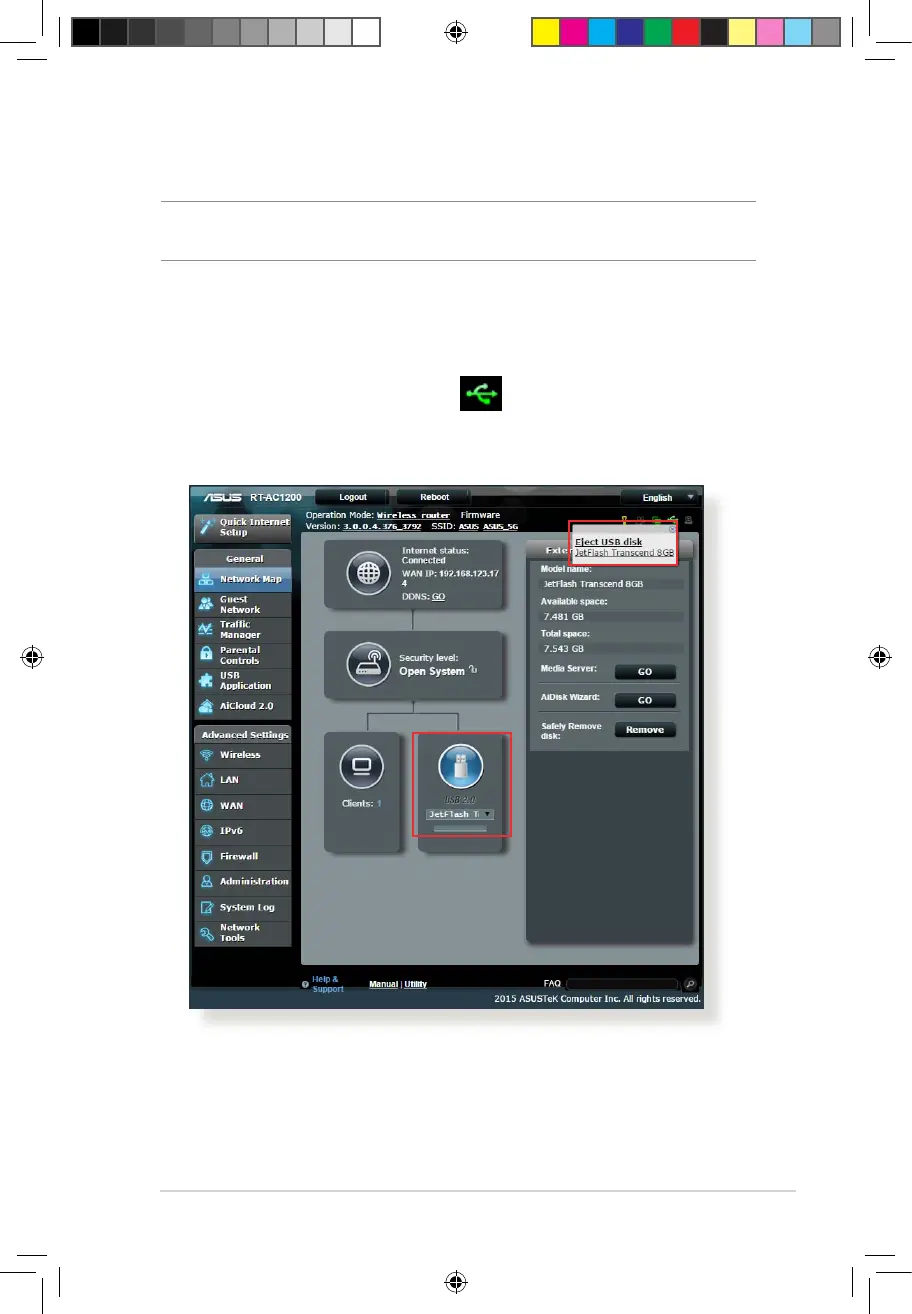
Safely removing the USB disk
IMPORTANT! Incorrect removal of the USB disk may cause data
corruption.
To safely remove the USB disk:
1. From the navigation panel, go to General > Network Map.
2. In the upper right corner, click > Eject USB disk. When
the USB disk is ejected successfully, the USB status shows
Unmounted.
E10170_RT-AC1200_Guide.indd 25 2015/4/29 15:48:27


 To Next Page